 Yueqing Yijin Electronics Co., Ltd.


Surge Protection Device Testing After Events: Keep or Replace the Module
After a surge, surge protection device testing on a DIN-rail Class II module is a serviceability read of the window and disconnect path, not a homemade combination-wave recertification. The walkthrough below covers how to test a surge protection device by reading the printed green/red flag, what a field continuity check can show, and when to keep or replace the cartridge.
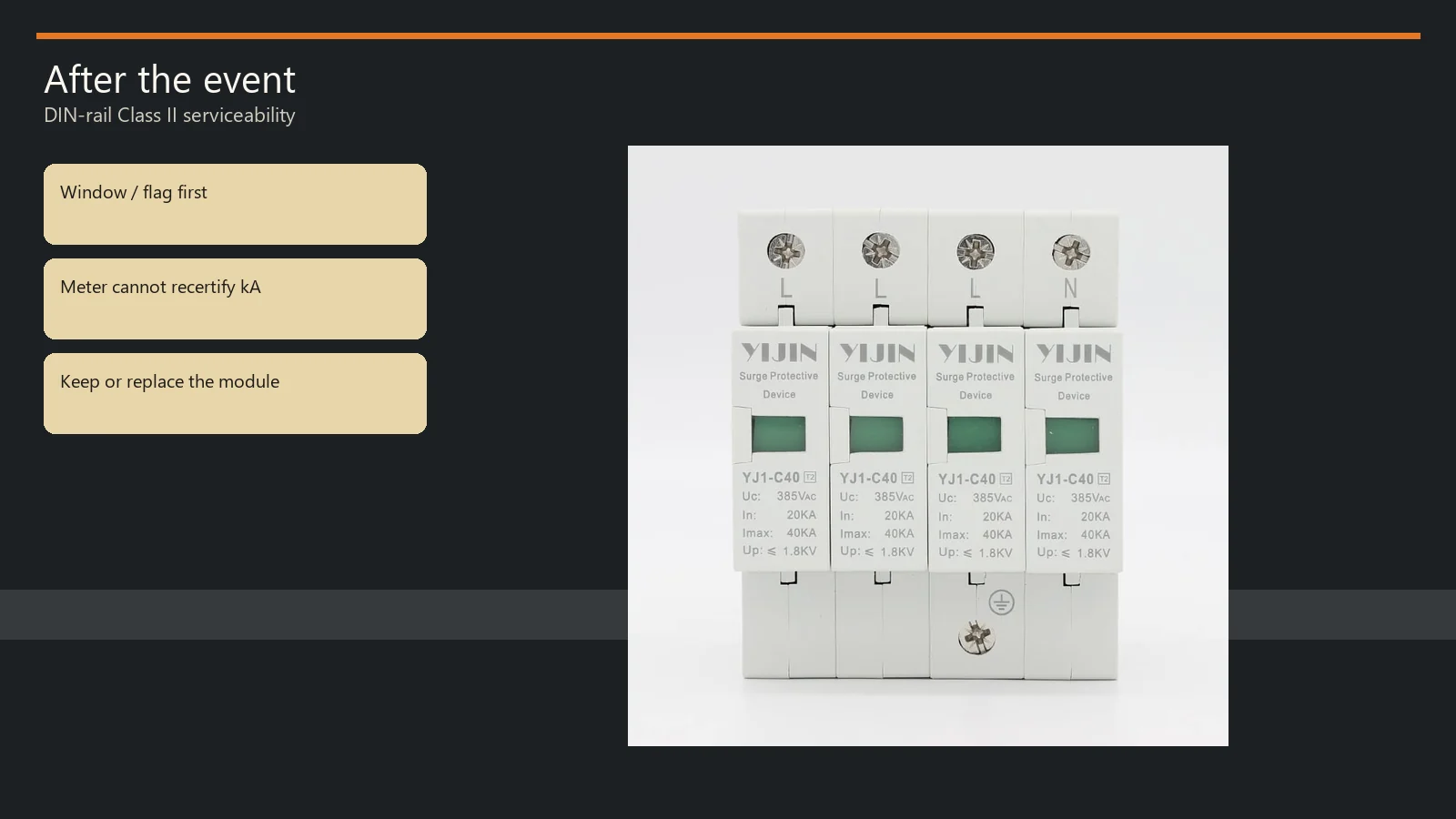
Testing surge protection devices in the field is a board walk, not a listing-lab replay.
What Field Testing Can Prove After a Surge Event
Field testing is a serviceability walk of window, housing, and backup — not a homemade combination-wave recertification.
A metal-oxide varistor (MOV) sits ready for months, then clamps a spike and takes a little wear each time. After the storm, the board still looks powered. The question is whether that Class II path is still in circuit.
Laboratory comparison uses defined impulse methods. Independent specification guidance describes a combination-wave / VPR test: voltage protection rating work from a 6 kV / 3 kA combination wave, with measured limiting voltage taken in a controlled setup. IEEE C62.62 exists so load-side AC SPDs can be compared on a bench.
How to test surge protection devices on a rail is a different job. Nobody on a service call is recreating that combination-wave bench with a Yijin module. The useful ask is whether the printed failure indication still shows Normal, whether the housing and terminals look intact, and whether the backup path is still closed.
Browse the surge protection device hub when you want the family shelf after the keep-or-replace call. Sizing worksheets and landing-sequence notes live on other pages.
Read the Window, Flag, and Thermal-Disconnect State
On Yijin Class II cards, green means the printed normal state and red means failure — treat red as unprotected on that mode.
Professionally, a thermal disconnector — the failure-release path — isolates a spent or overheating protection element and drives indication. In plain language, it is the trip that takes the MOV offline so a failed short does not sit on the bus.
Trade-journal education puts it the same way: an SPD disconnector isolates the SPD and indicates failure. The spring-driven window is reporting that state, not remaining kA.
YJ1-C40, YJ1-D20, YJ1-B60, and YJ-B80 print Failure indication Green: Normal, Red: Failure. The same introductions describe a built-in failure release for overcurrent, overheating, or breakdown, with the status window changing from green to red.
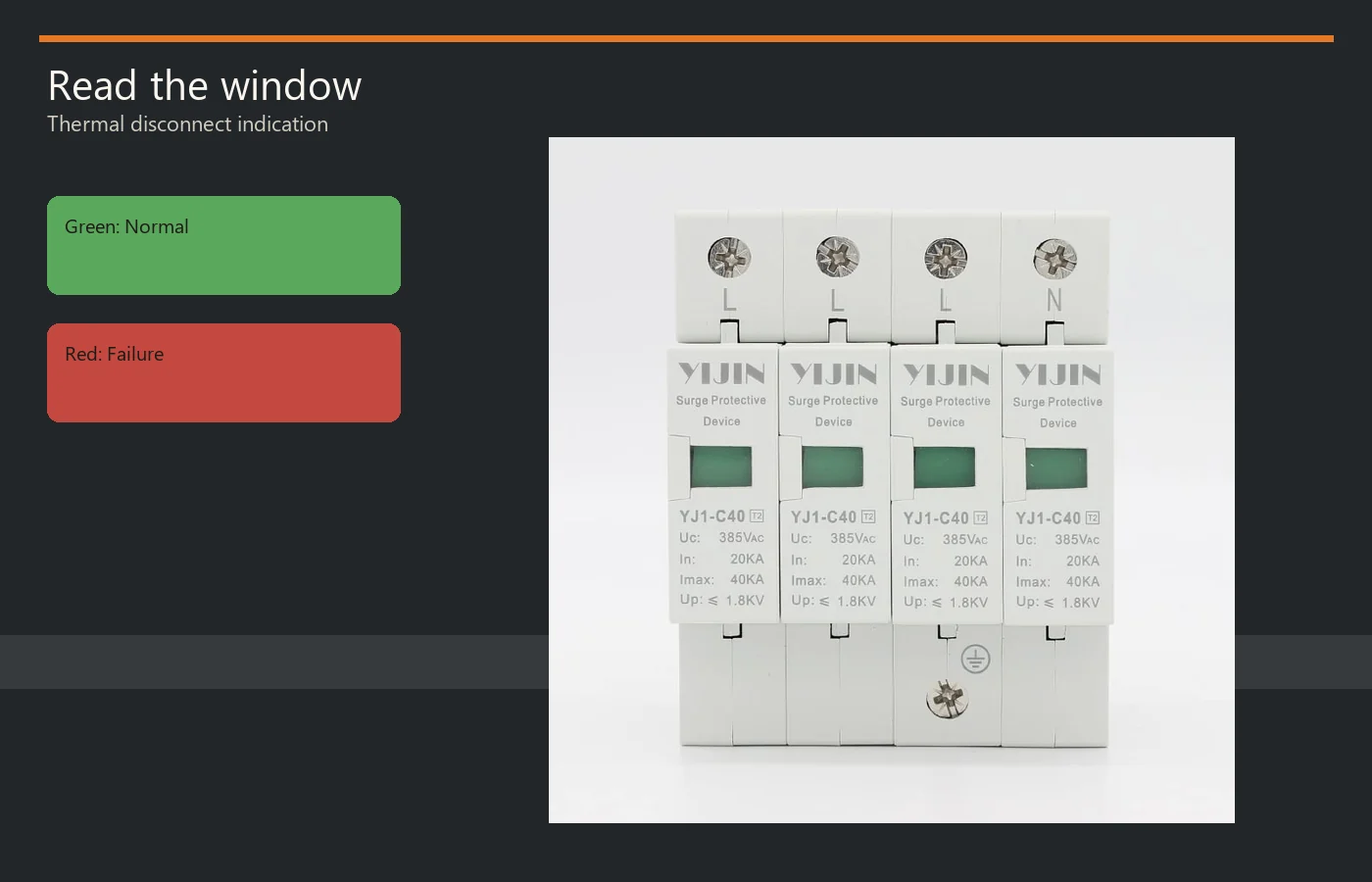
Read each pole’s window against that printed legend, not against habit from another brand’s LED.
From the field: On DIY Chatroom, electricians write that surge protectors wear out because MOVs can only conduct a finite number of times — “If it were mine I would replace it.” Source: https://www.diychatroom.com/threads/do-surge-protector-wear-out.760341/
Some modules show a faint red flag set back in a clear window when they are still new. Vivid red at the front of the window is the fail state people mean. If the color is ambiguous, treat that mode as unprotected until a qualified person settles it.
Optional remote signaling contact hardware on these Yijin cards is a normally open and normally closed pair. That dry contact follows module state. It does not add a lab impulse test.
What a Field Continuity Check Can and Cannot Prove
A continuity beep can flag an obvious short; it cannot prove remaining 8/20 capacity or Up.
A field continuity check is a low-voltage resistance or beep look across an isolated path. A healthy voltage-limiting element looks like a very high resistance at DMM voltage. A near-zero reading can mean a shorted varistor, contamination, or another path in the circuit.
Community bench talk makes the same limit: a normal DVM ohm function uses too little voltage to see MOV wear. It will show a short. Without a surge generator, you will not prove the element is still “good.”
Yijin Class II tables do not print ohm bands, leakage milliamp limits, or a portable tester SKU. Skip invented pass numbers. If a remote contact is fitted, the documented terminal diagram is the only meter job those pages actually describe.
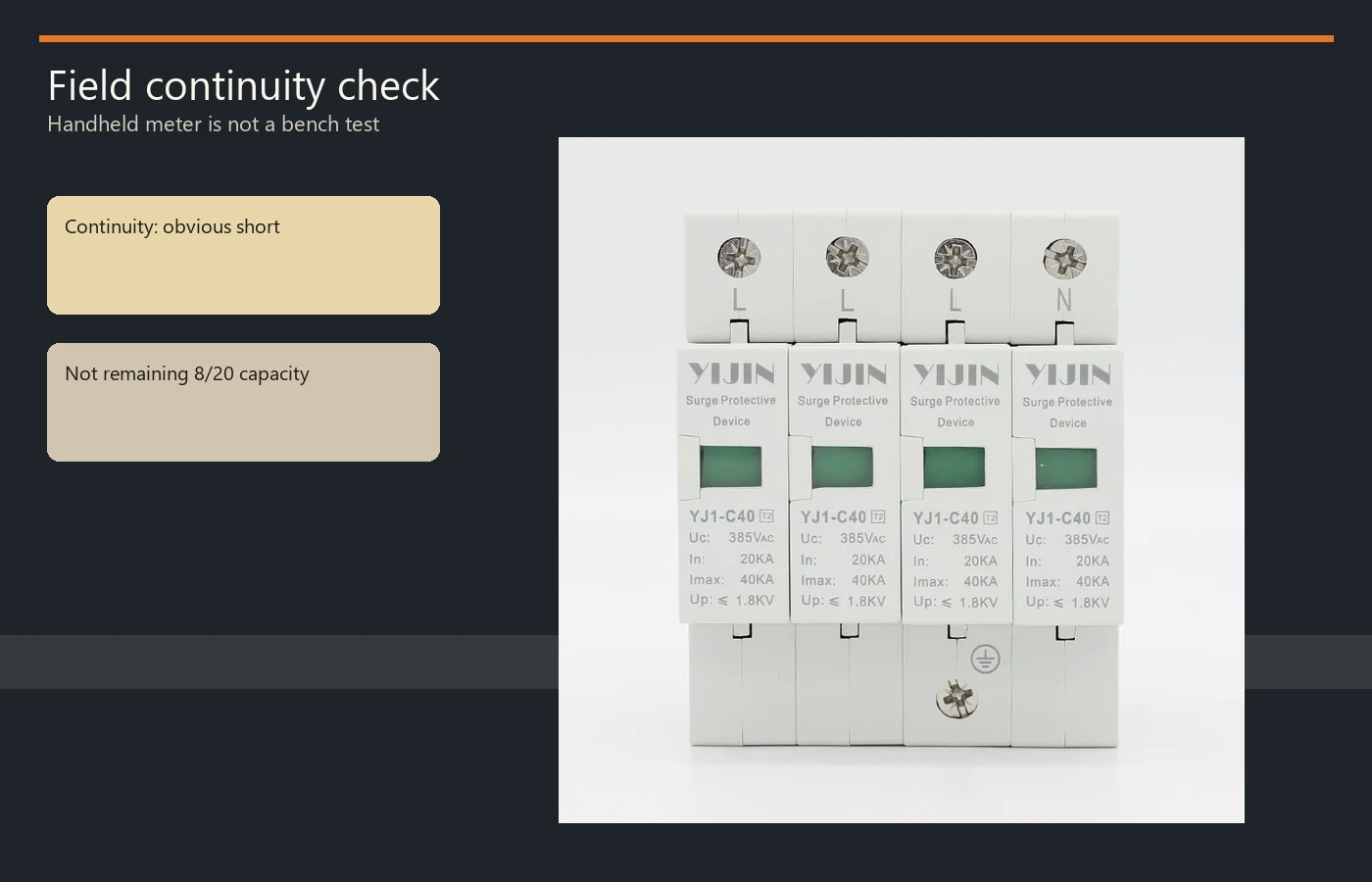
Isolate and prove the circuit dead before any terminal work. Then decide from the window and the housing, not from a beep that “passed.”
Why a Green Window Is Not Remaining Surge Capacity
Green reports that the flag has not tripped; it does not recertify In, Imax, or Up.
Inside its printed discharge envelope, an MOV can take hits and still leave the window green. Wear is cumulative. The next spike is the one that finds a tired element.
Keep the green reading as a disconnect-status signal, not a kA warranty. It means the printed disconnect has not flagged Failure. It does not mean last month’s storm left the same 8/20 headroom you bought.
A post-event look still matters when the flag stayed green: housing color, soot, loosened leads, and a backup device that opened for no other reason. Silent loss of protection is the usual end-of-life story — power keeps flowing, and the only witness is the indicator you actually read.
When to Replace the Module Versus Leave It in Service
Replace on red, damaged housing, or a backup trip with no other cause; keep only when the printed normal indication still holds and nothing else is spent.
| Observation | What it proves | Usual next step |
|---|---|---|
| Red window or operated flag | Disconnect path has taken that mode offline | Replace the module |
| Green window, intact housing | Printed normal state; not remaining kA | Keep, then re-check after the next known event |
| Scorch, melt, or cracked body | Energy or heat beyond a tidy disconnect | Replace; inspect the enclosure |
| Backup opened, no other fault | Failed-short conversation is open | Clear the backup cause; replace the SPD if it is the source |
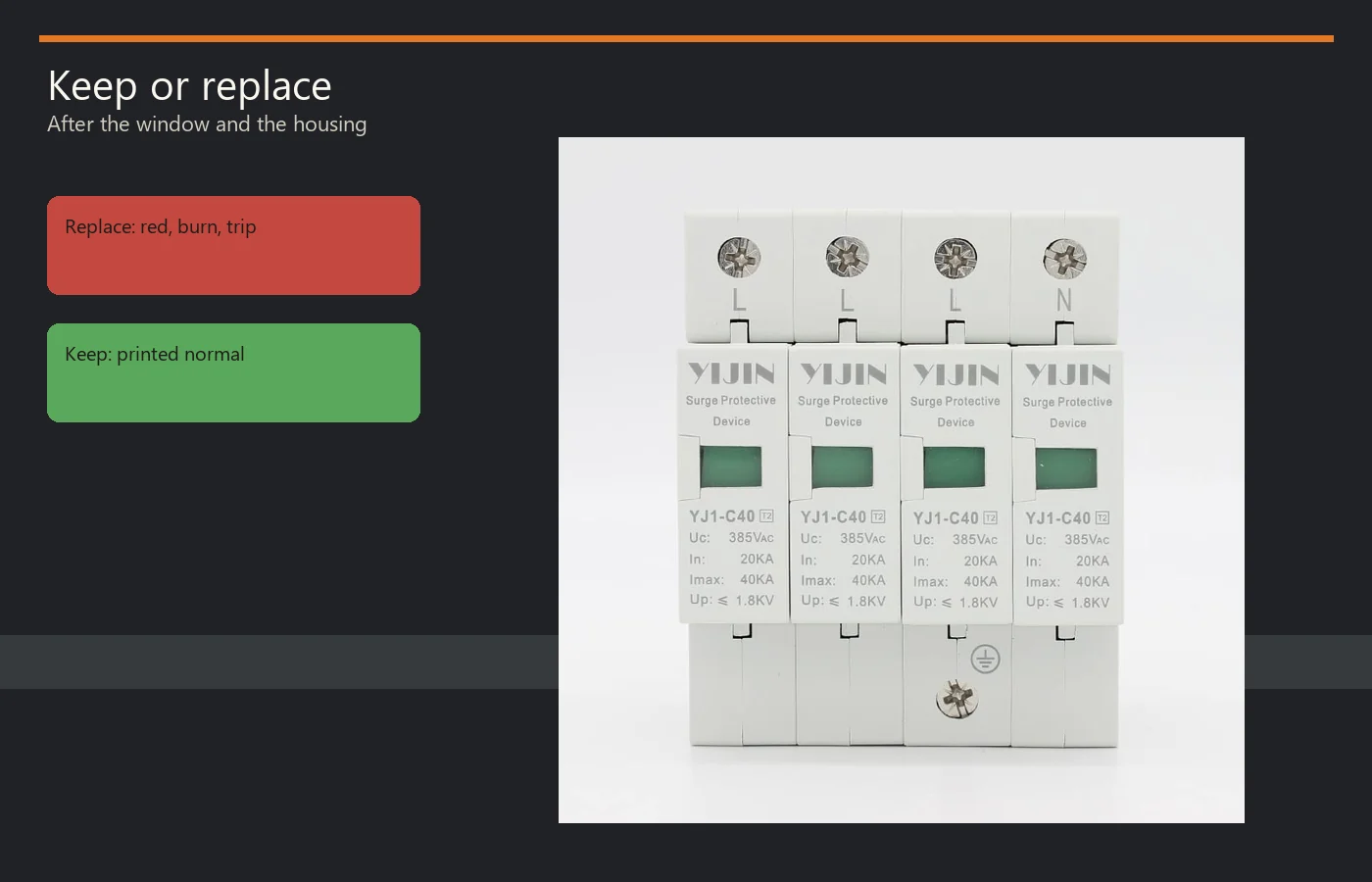
Repeated early red flags are a specification problem more often than a “bad batch” story. Wrong continuous voltage versus printed Uc, a hot enclosure, or a backup device that does not match the card will eat replacements.
If the project uses a dedicated backup protector, YJSCB-40 is the live backup card in this family. Its table prints cooperation with Class I (T1) / Class II (T2) language, ≤60 kA (8/20) cooperation, a 3 A power-frequency trip value, and 65 kA Icn. It is not a field tester.
Landing sequence, pole maps, and Uc/In/Imax/Up worksheets are separate jobs. Use the how to size page when the card itself is still the wrong rating, and the 3-phase install readiness page when the question is how the conductors land.
Choose YJ1-C40 When You Need a Mid Class II Replacement
YJ1-C40 is the mid Class II starting card after a confirmed fail; step to D20 or B60/B80 only on printed table numbers.
When the board seat is a DIN-rail Class II module and the failed unit sat in the middle of that family, put back the YJ1-C40 surge protector. The live table prints In 20 kA, Imax 40 kA, and Up 1.8 kV on an 8/20 Class II experiment card, with Uc 385 V L-N and 255 V N-PE, plus a 32 A / 10 kA series recommendation.
The same card prints the green/red failure indication this page taught you to read, optional remote contacts, a 35 mm rail, and housing plastic that meets UL94 V-0. UL94 V-0 is plastic flammability, not a UL 1449 listing.
| Model | In / Imax (8/20) | Up | Series row |
|---|---|---|---|
| YJ1-D20 | 10 kA / 20 kA | 1.5 kV | 16 A / 6 kA |
| YJ1-C40 | 20 kA / 40 kA | 1.8 kV | 32 A / 10 kA |
| YJ1-B60 | 30 kA / 60 kA | 2.0 kV | 63 A / 35 kA |
| YJ-B80 | 40 kA / 80 kA | 2.4 kV | 63 A / 35 kA |
Use the table Imax values. Skip any application paragraph that talks past those numbers.
Intros on this AC set speak to TT/IT/TN-S/N-C-S style systems at AC 50 Hz or 50–60 Hz, 380 V and below.
Those lines are page labels, not a U.S. approval stamp.
If you need a printout or a pole-count confirmation after the swap, contact Yijin with the live model and the board voltage you actually run.
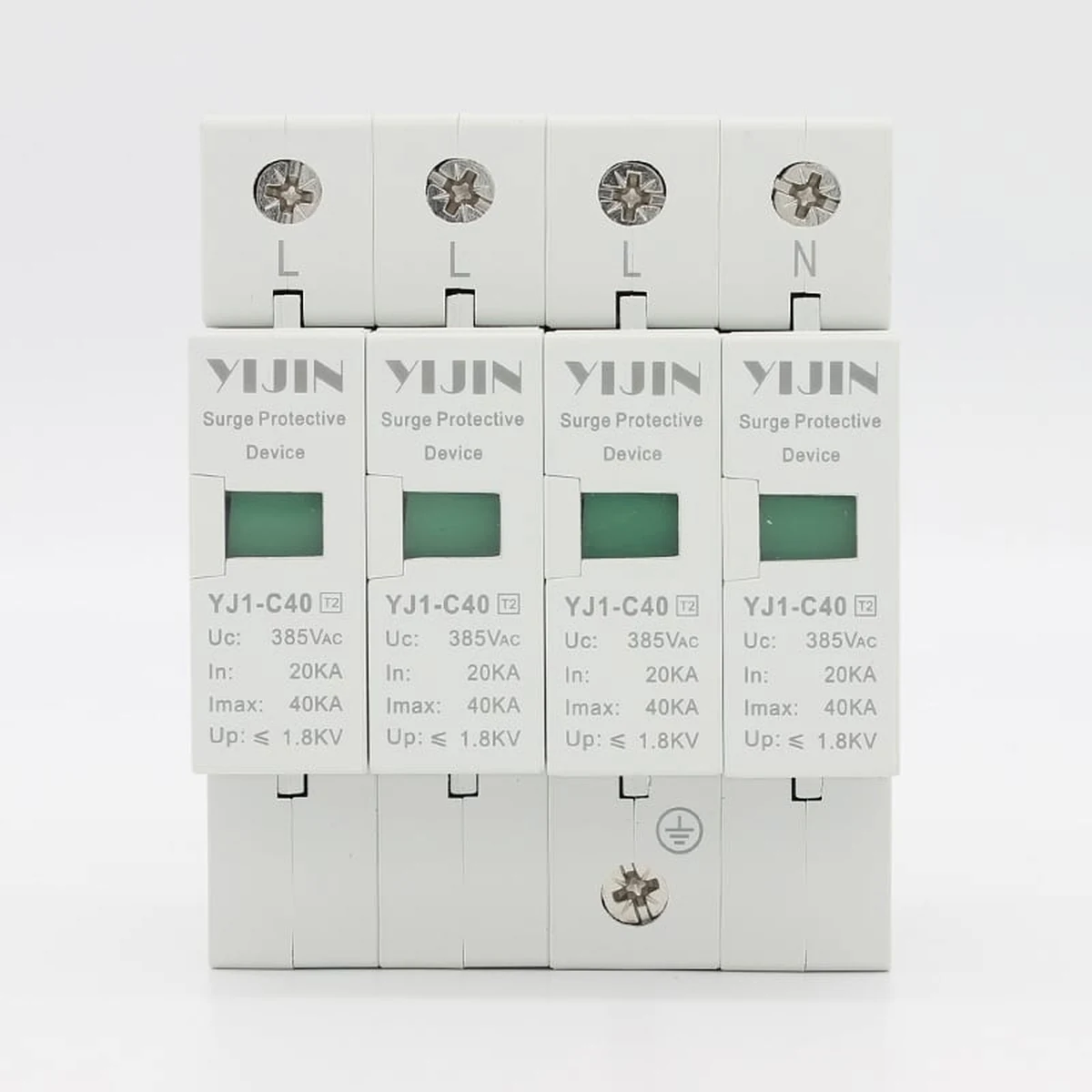
The Path① photo is the live mid Class II module, not a tester.
FAQ
How do you test a surge protection device in the field?
Read the printed window, inspect the housing and backup, and treat a red or operated flag as a spent mode. A field continuity check can only catch an obvious short. It is not a 6 kV / 3 kA combination-wave recertification.
What does a red SPD window mean?
On these Yijin Class II cards, Red: Failure means the failure-release path has operated. That mode is offline. Replace the module.
Does a green window prove the SPD still has its kA rating?
No. Green: Normal means the printed disconnect has not flagged failure. It does not recertify In, Imax, or Up.
Can a multimeter prove an SPD is healthy?
A handheld meter can show a dead short. It cannot prove remaining clamp performance.
Yijin tables do not publish ohm pass bands.
Should I replace the module after every thunderstorm?
Check the flag first. Replace on red, heat damage, or a backup trip with no other cause.
Re-inspect after a known event even if the window stayed green.
Is the housing flame mark the same as an SPD listing?
Housing UL94 V-0 marks plastic flammability. It is not a UL 1449 SPD listing.
Do frequency or IEC page labels mean approval in the US?
No. IEC61643-1 / GB18802.1 design-basis lines and 50 Hz or 50–60 Hz ratings are page labels, not a U.S. listing or NEC approval claim.
When should I choose YJ1-C40 as the replacement module?
Choose YJ1-C40 when the failed seat is a mid Class II DIN-rail card and the live table numbers you need are In 20 kA, Imax 40 kA, and Up 1.8 kV. Step to D20 or B60/B80 only when those printed rows match the board.
References
- Professional Electrician — SPD internal disconnection and failure indication — disconnector isolates the SPD and indicates failure.
- ESFI — Low-voltage SPD specification and listing-test methods — listing-test combination-wave method used to assign a voltage protection rating.
- DIY Chatroom — do surge protectors wear out — MOV wear and replace-when-doubtful field language.