 Yueqing Yijin Electronics Co., Ltd.



Clocked on and off events are not a countdown
An on and off timer switch stores a clocked on time and a clocked off time. The time switch page describes that device as an electric switch controlled by a timer. A countdown and an industrial light sensor answer different jobs.
Clocked on and off is a stored pair
A stored pair means the load turns on at one clock time and off at another. You pick Monday, every day, or a group of days, then you pick the hour and the minute. The clock keeps running after the off event, so the next on event can happen tomorrow.
That pattern fits hallway lights, a pump that should run on a shift, or a sign that should darken after closing. The buyer is asking for a clocked on and off pair, which is the plain name for those two stored events. The KG316T page calls the same object a microcomputer time control switch.
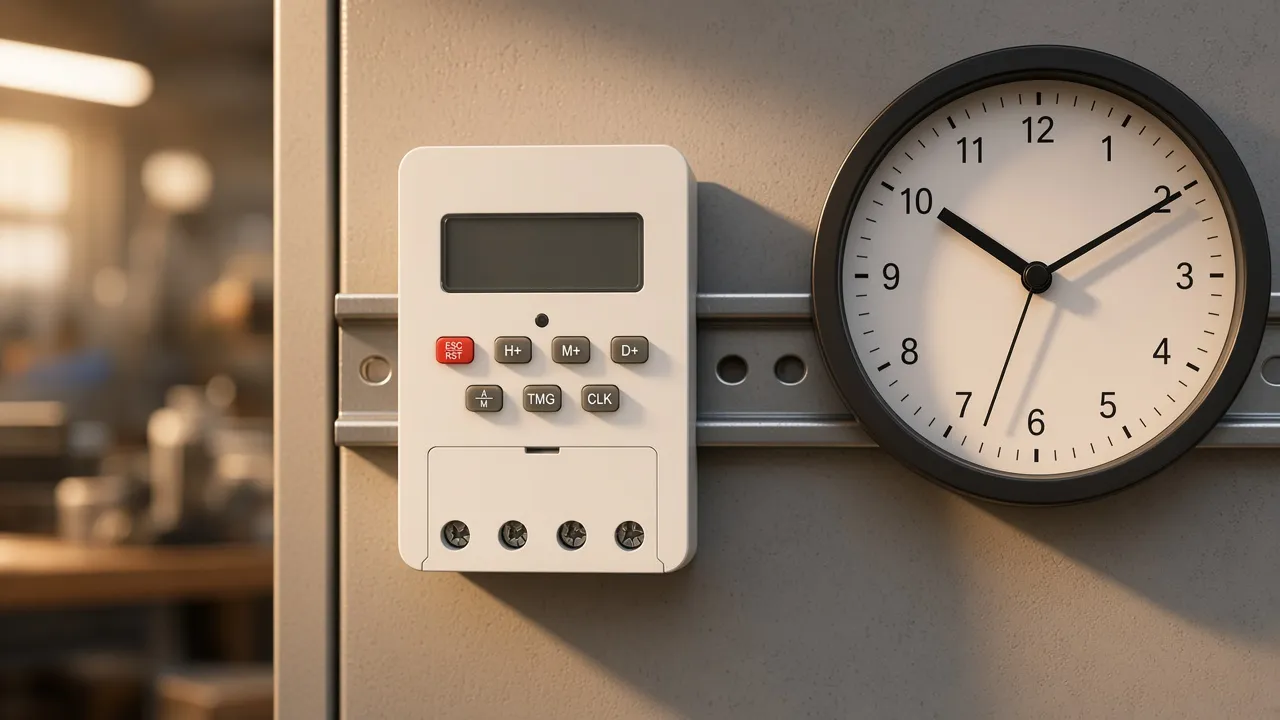
The clock in the picture is the idea. The rail device is the object that can hold the times. A wall plate with a single button is a different object, and this page does not turn the KG316T into that wall plate.
A countdown ends a run and then stops
A countdown starts when you press it and ends when the minutes run out. It is useful for a bath fan or a reminder. It does not know that the lights should return at the same hour tomorrow.
The time-switch page also mentions a sleep timer, which shuts a television off after a delay. That function lives on the device you are watching. It is a delay, not a weekday program.
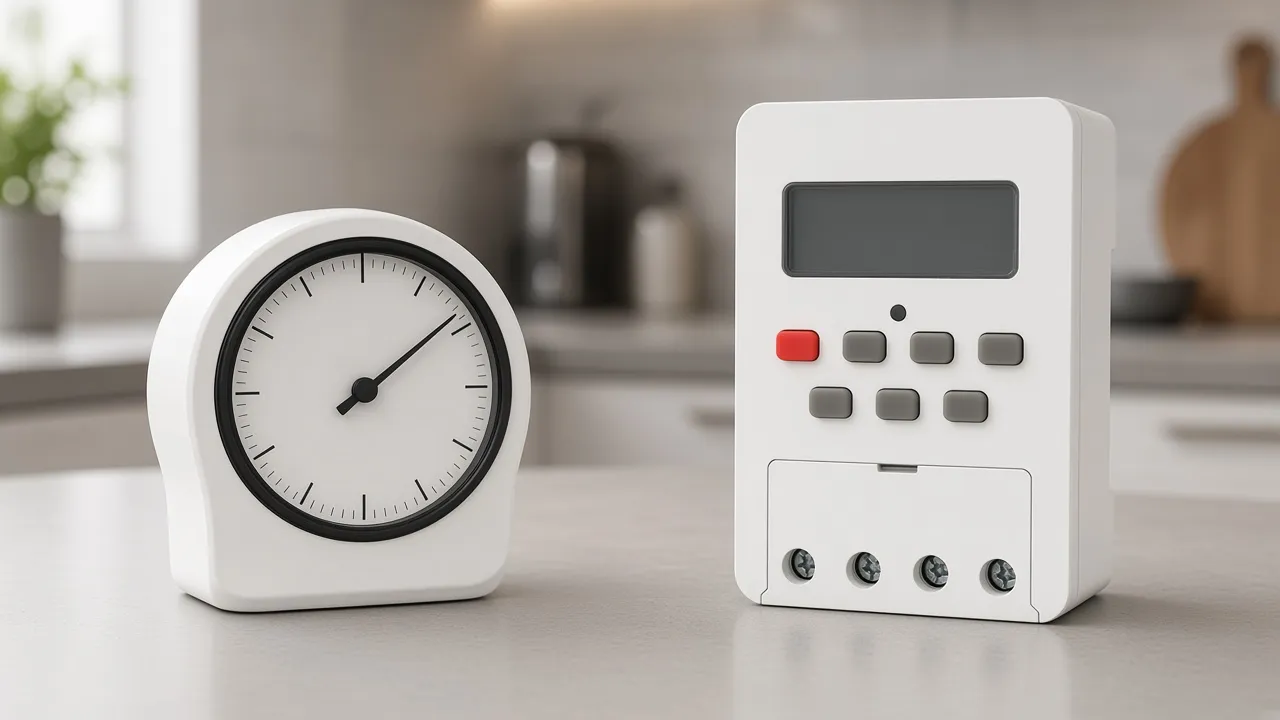
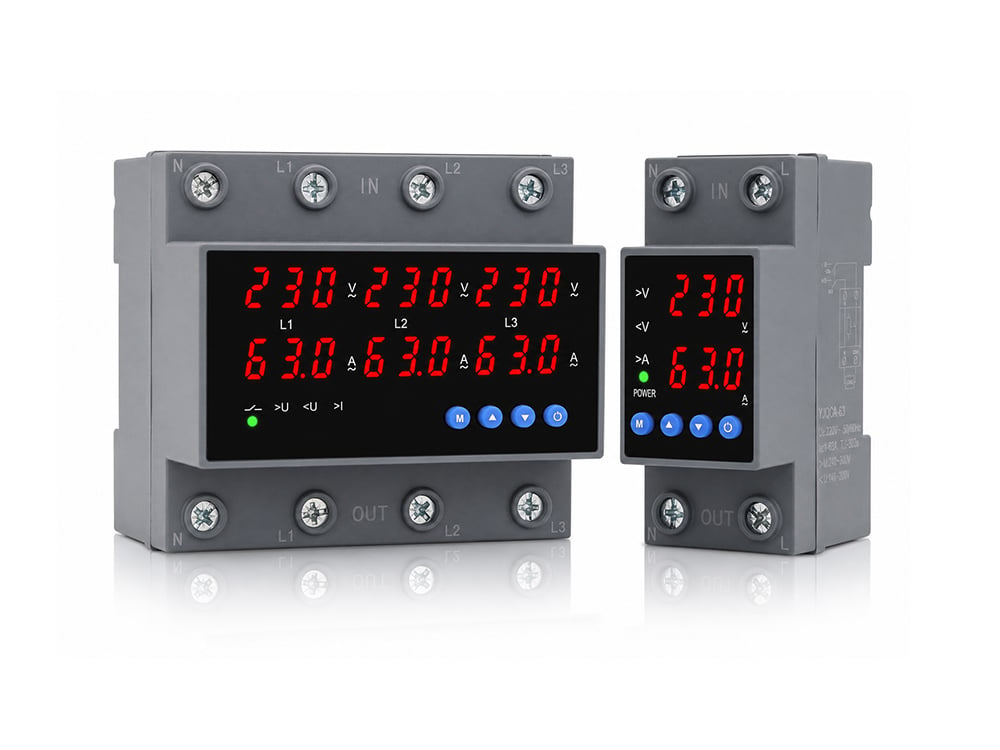
The left-hand dial is the countdown. The rail device on the right is the stored-pair device. If your note says “off after twenty minutes,” buy the countdown.
If your note says “on at dusk-by-the-clock and off at midnight,” buy the stored pair and set both times yourself.
A comment on the time-switch talk page shows the mix-up in a real hallway. The lights were supposed to follow sunrise and sunset. The last person had set civil summer time instead.
From the field: A hallway timer went off at sunrise and on two hours before sunset only when it was set to solar time. Left on summer time, the same clock missed that pattern.
An industrial light sensor watches an object
A photoelectric sensor determines the distance, absence, or presence of an object. The opened page says these sensors are largely used in industrial manufacturing, with through-beam, retro-reflective, and diffused types.
That page is about a light beam and a receiver. It is about a part on a line, not about a porch lamp at sunset. Calling that sensor an on and off timer switch would send the buyer to the wrong catalog.
If the job is “when the sky gets dark,” you need a control that watches light level or a clock you adjust through the year. The KG316T page prints stored times. It does not print a light sensor.
What a time switch is allowed to mean
The category page allows three homes for the switch. It can sit in a power circuit, such as a heater timer. It can plug into an outlet, with the load plugged into the timer.
It can be built into equipment.
The mechanism can be mechanical, including clockwork, or electromechanical. A brand’s 1940s dial timer is history on that page. Another talk comment asks why the article sounds as if one company invented the category.
The buying point is the function, not the first name on the page.
Yijin sells the KG316T into the stored-time job. The timer switch hub is where that family sits on this site. Read the model page before you match it to a wall-box timer from a home center.
Sixteen on and off actions on the KG316T
The keypad path on the KG316T time control switch page is short. Press Timer to enter the on time. Press Set Week for a weekday, every day, or a group of days.
Set Hour and Set Minute place the on time. Press Timer again for the off time, then repeat the week and clock keys.
Clock returns the display to the running clock. Auto/Manual moves the switch mark from off into automatic. Cancel/Restore, pressed four times, unlocks a keypad that locks after it sits idle.
The page says an unused time should be left as a dash display.
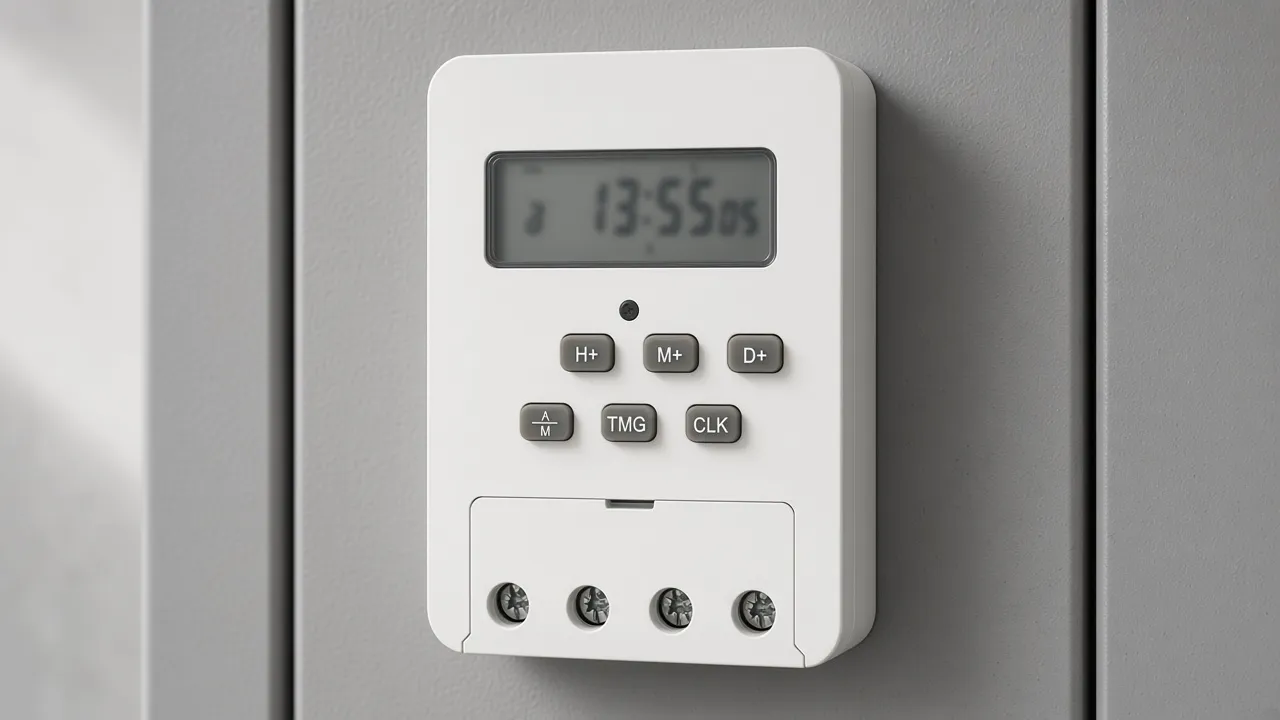
The same page allows up to sixteen on and off actions in one day. Switching times can repeat on a daily cycle or a weekly cycle. The same page allows a maximum setting of 168 hours and a minimum setting of 1 minute.
A blank dash slot is how you leave the rest of the sixteen unused. Filling every slot with a guess will click the load at hours you did not want.
The battery line says the unit uses a No. 7 / AAA cell, and a dim display is the cue to replace it.
Control voltage and load power on the same page
The control-supply line and the load lines live on the same model page. The KG316T page is written for control circuits with AC 50/60 Hz voltage of 380 V and below.
Rated control supply on that page is AC 50/60 Hz at 220 V and 380 V. That pair is the supply the clock and the coil side are built around.
The KG316T page lists a resistive load of 6 kW, an inductive load of 1.8 kW, a motor load of 1.2 kW, and a lamp load of 0.9 kW. Rated insulation voltage is AC 380 V and rated impulse withstand is AC 1.5 kV.
Those lines are the page you order from. A home light circuit at a lower wall voltage is a different design. Workplace equipment still has to be examined for recognized hazards that are likely to cause death or serious physical harm, which is the sentence in OSHA 1910.303.
The printed ratings belong in the table under this sentence.
| Line on the KG316T page | Printed value |
|---|---|
| Control supply | AC 50/60 Hz, 220 V and 380 V |
| Resistive load | 6 kW |
| Inductive load | 1.8 kW |
| Motor load | 1.2 kW |
| Lamp load | 0.9 kW |
| Actions in one day | up to 16 |
| Longest setting | 168 hours |
| Shortest setting | 1 minute |
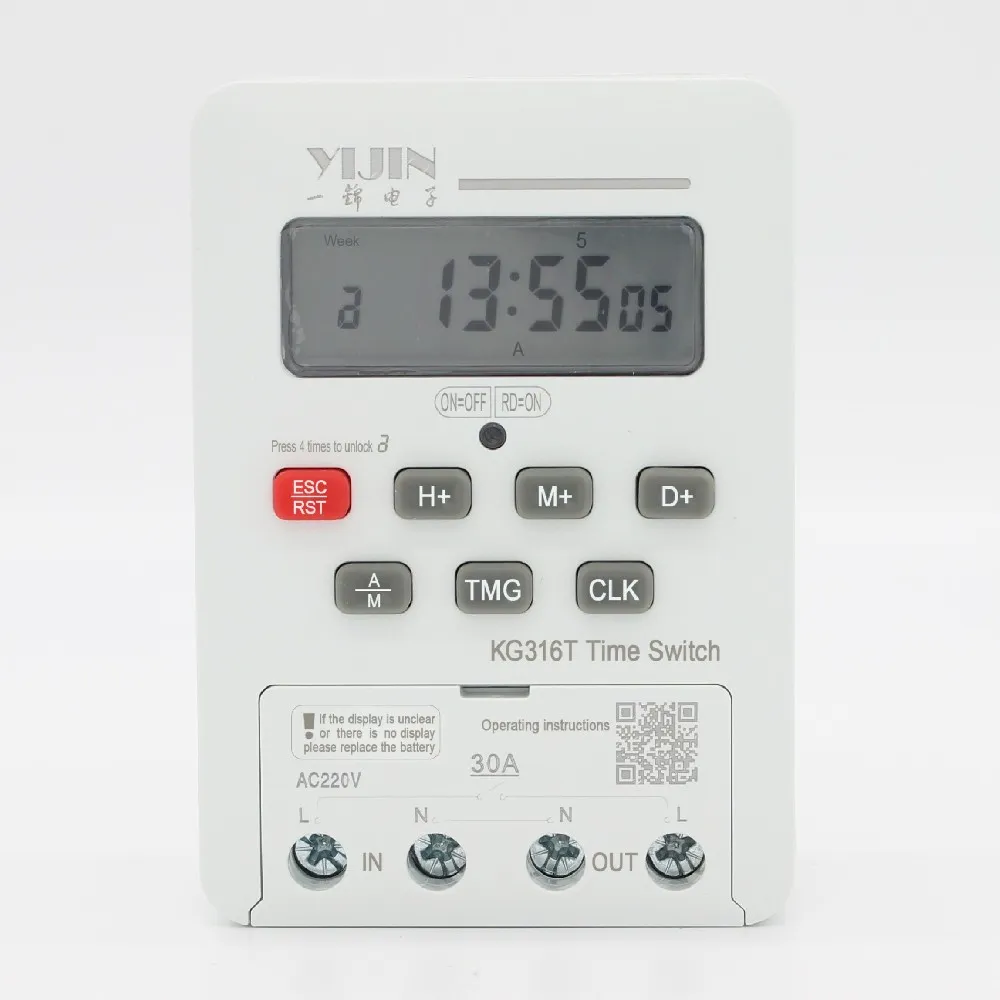
Match the load row to the real load. A lamp allowance is smaller than a resistive heater allowance. A motor allowance is smaller still.
If the load sits above the row, the timer is the wrong device for that circuit.
A relay can sit between the clock and the load
A relay is an electrically operated switch. The time-switch page says the timer may connect to the circuit through a relay or a contactor. That path lets a small control output operate a larger load, when the relay is rated for that load.
The jobs stay separate:
| Job | What it watches | What it stores |
|---|---|---|
| Clocked on and off pair | The clock | An on time and an off time |
| Countdown | Elapsed minutes | Nothing for tomorrow |
| Photoelectric sensor | An object in a light beam | No clock time |
| Relay | A control signal | No schedule of its own |
A comment on the relay talk page describes lamp contacts that stay closed longer so a flashing rate can show a failed bulb. That duty change is a fault signal. It is a different job from a stored on time and off time.
Use the KG316T when you can set both events on its keypad and the supply matches the printed control voltage. Use a different device when you need a light beam, a countdown, or a wall-box switch the KG316T page does not describe.
FAQ
What does an on and off timer switch store if the job is a pair of clock times?
It stores an on time and an off time, with a weekday, every day, or a group of days. The KG316T keypad enters those times with Timer, Set Week, Set Hour, and Set Minute.
How is a stored ON time different from a sleep-timer countdown?
A stored on time returns on the next cycle because the clock is still running. A sleep timer or other countdown ends when the delay ends.
Can an industrial photoelectric sensor stand in for a clocked on and off pair?
The opened photoelectric-sensor page describes an object sensor for manufacturing. It does not store a weekday on time or off time.
How many on and off actions does the KG316T page allow in one day?
The page allows up to sixteen on and off actions in one day. Unused times stay on a dash display.
Which control voltages does the KG316T page print?
Rated control supply on that page is AC 50/60 Hz at 220 V and 380 V. The circuit note is AC 50/60 Hz at 380 V and below.
What should an unused program show on the KG316T display?
The keypad section says to leave an unused time as a dash display. Clock then returns you to the running clock.