
 Yueqing Yijin Electronics Co., Ltd.



Timer Switch
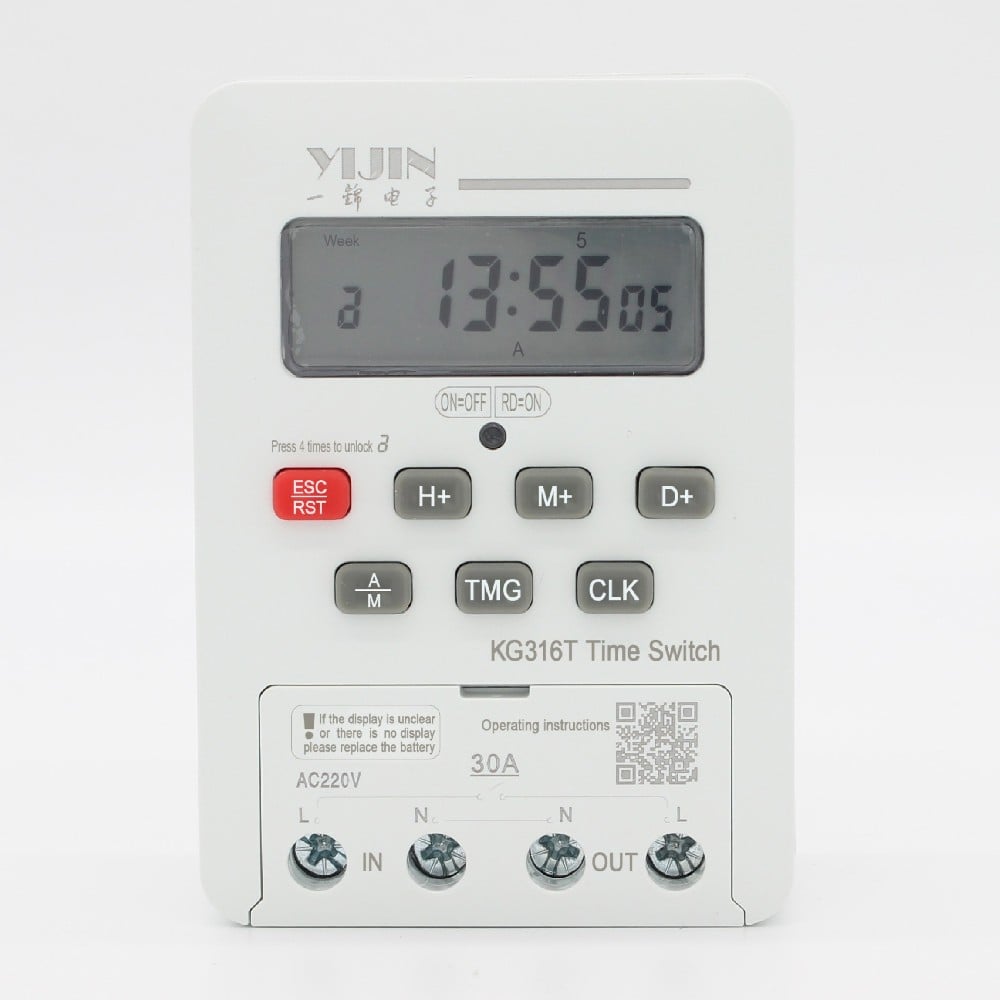
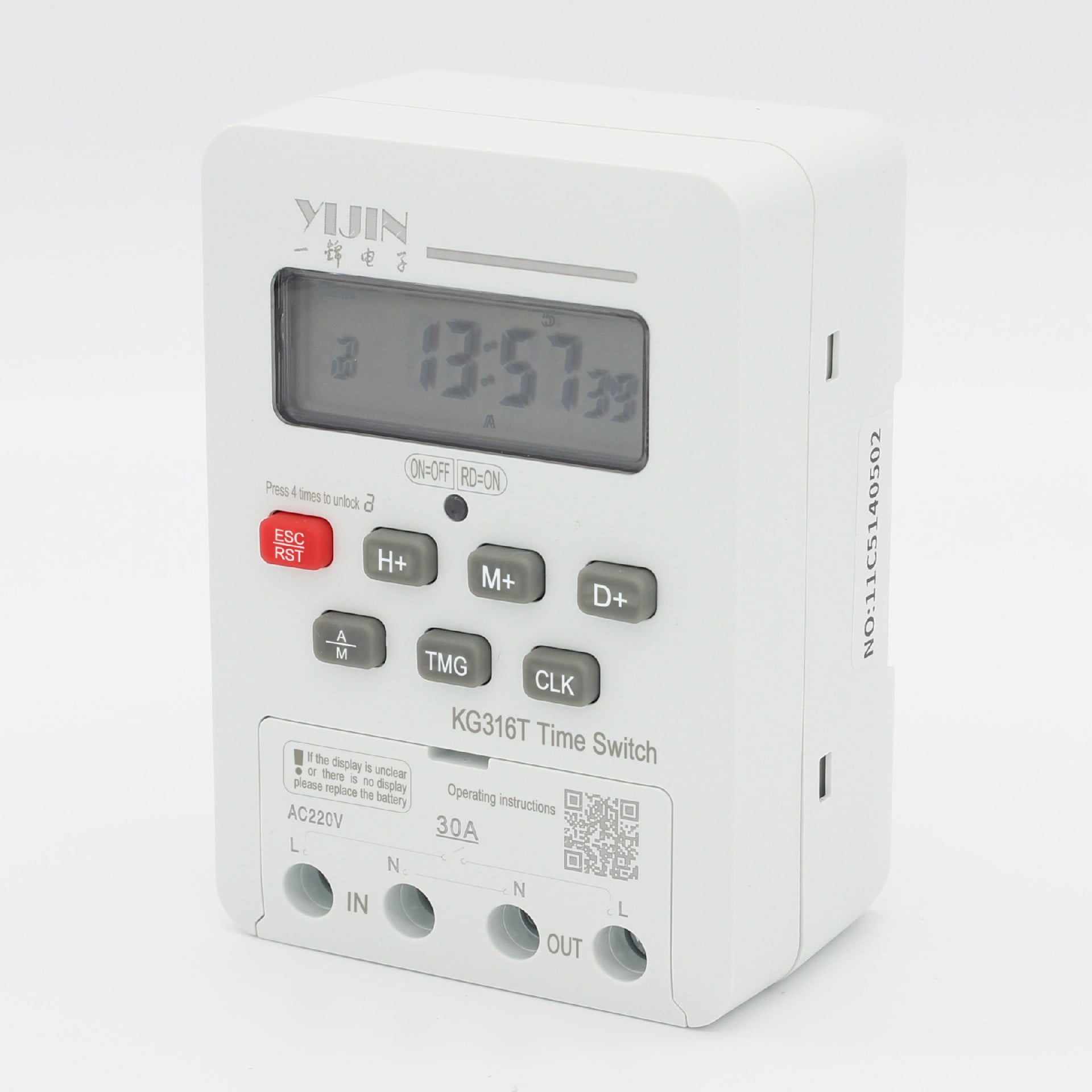
KG316T time control switch
Function: this product switches the power of various electrical devices on and off automatically at user-set times. It controls street lights, neon lights, advertising sign lights, production equipment, and broadcasting and television equipment that need timed on/off control, as well as household appliances…
Scope of application
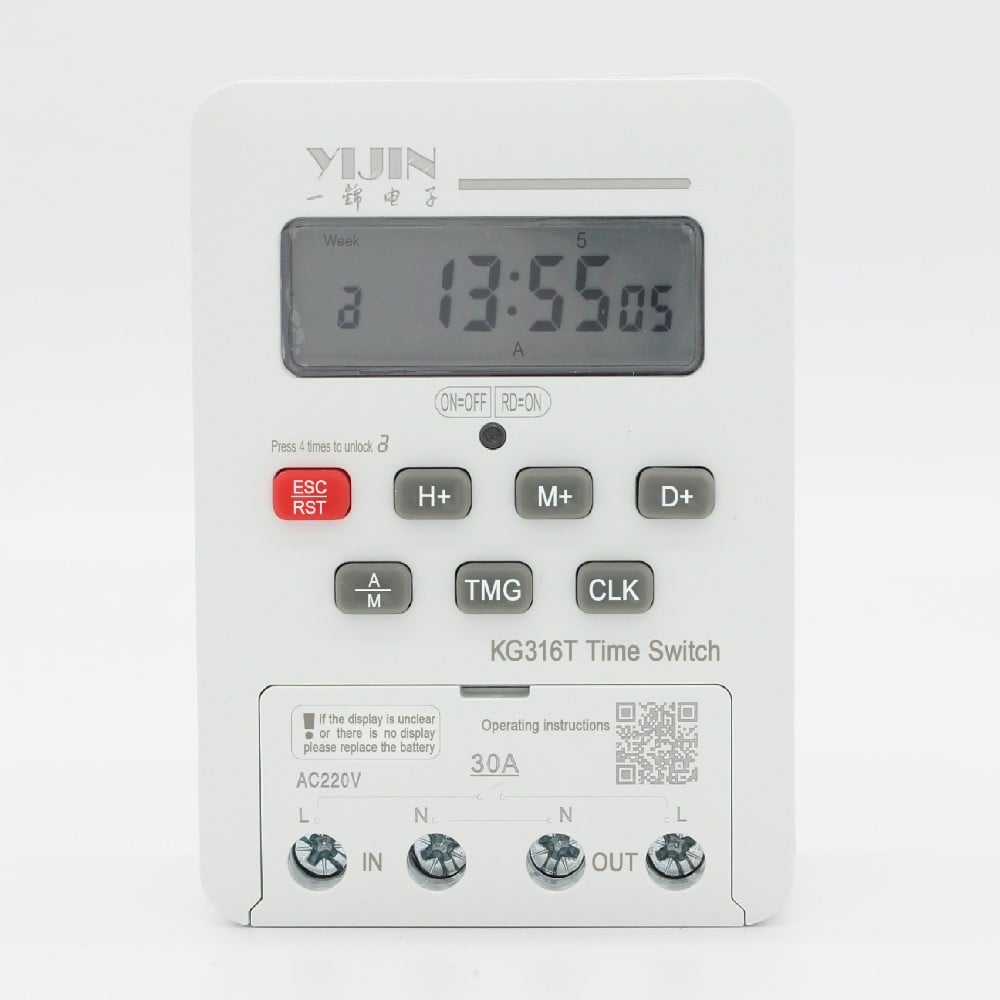
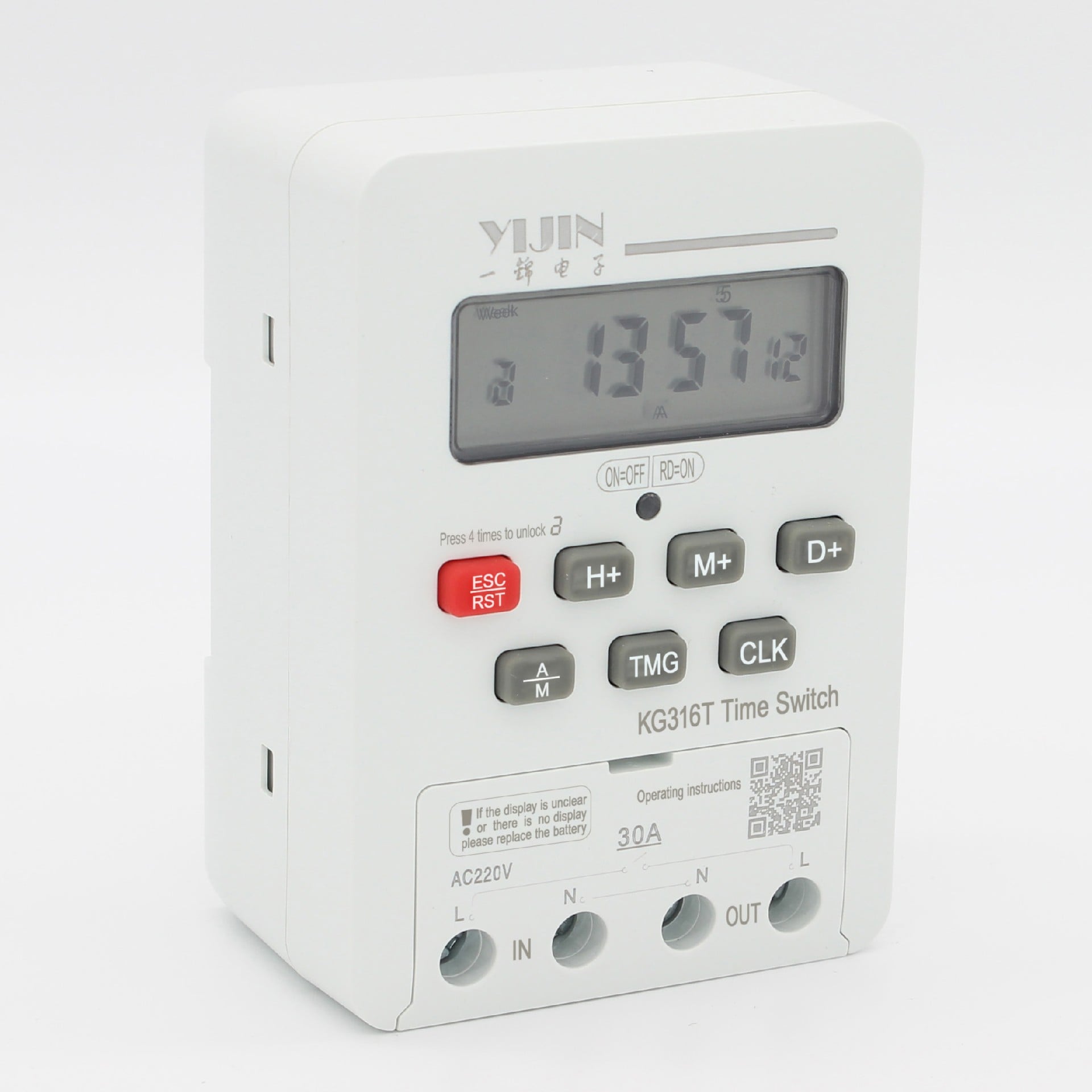
KG316T time controlled switch is suitable for use as a delay timing component in control circuits with AC 50/60Hz voltage of 380V and below. The power supply of various control circuits can be turned on or off according to the predetermined time, suitable for use in AC 50/60Hz voltage 380V and below control circuits, as a delay timer for street lamps, neon lights, advertising sign lights, broadcasting and television equipment, and various household appliances.
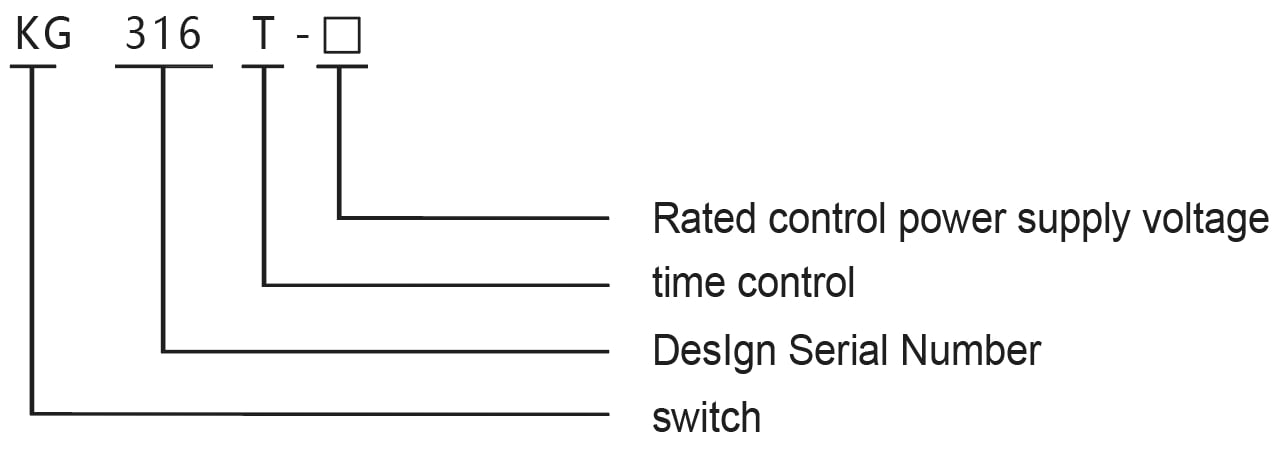
Model nomenclature
Construction
Our company’s KG316T time control switch uses an eight position microprocessor chip, directly packaged on a PCB board, with surface mount components, LCD display screen, and high-power relay output on the periphery; The battery is replaceable.
Normal operating conditions
Operating environment: altitude ≤ 2000 m; ambient temperature −5 ℃ to +40 ℃; rated control supply voltage held within 85%–110% of rated; no severe vibration, explosion hazard, corrosive gas, dust, or rain/snow ingress.
Technical parameters
1. Rated insulation voltage Ui: AC380V
2. Rated impulse withstand voltage Uimp: AC1.5kV
3. Rated control power supply voltage US: AC50/60Hz:220V、380V;
4. Pollution degree: 3;
5. Enclosure protection rating: IP50;
6. Load power: (resistive load: 6KW; Inductive load: 1.8KW; Motor load: 1.2KW; Lamp load: 0.9KW)
7. Daily timekeeping error: ≤ ±2 seconds;
8. Up to 16 on/off actions can be set per day
9. Switching times can repeat on a daily or weekly cycle
10. Maximum setting 168 hours; minimum setting 1 minute;
11. Mechanical life: ≥ 1,000,000 cycles;
12. Electrical life: ≥ 100,000 cycles
13. Coordination with a short-circuit protective device (SCPD): under short-circuit conditions the relay must not cause injury to persons or damage to equipment, and must not be returned to service without repair or replacement of parts.
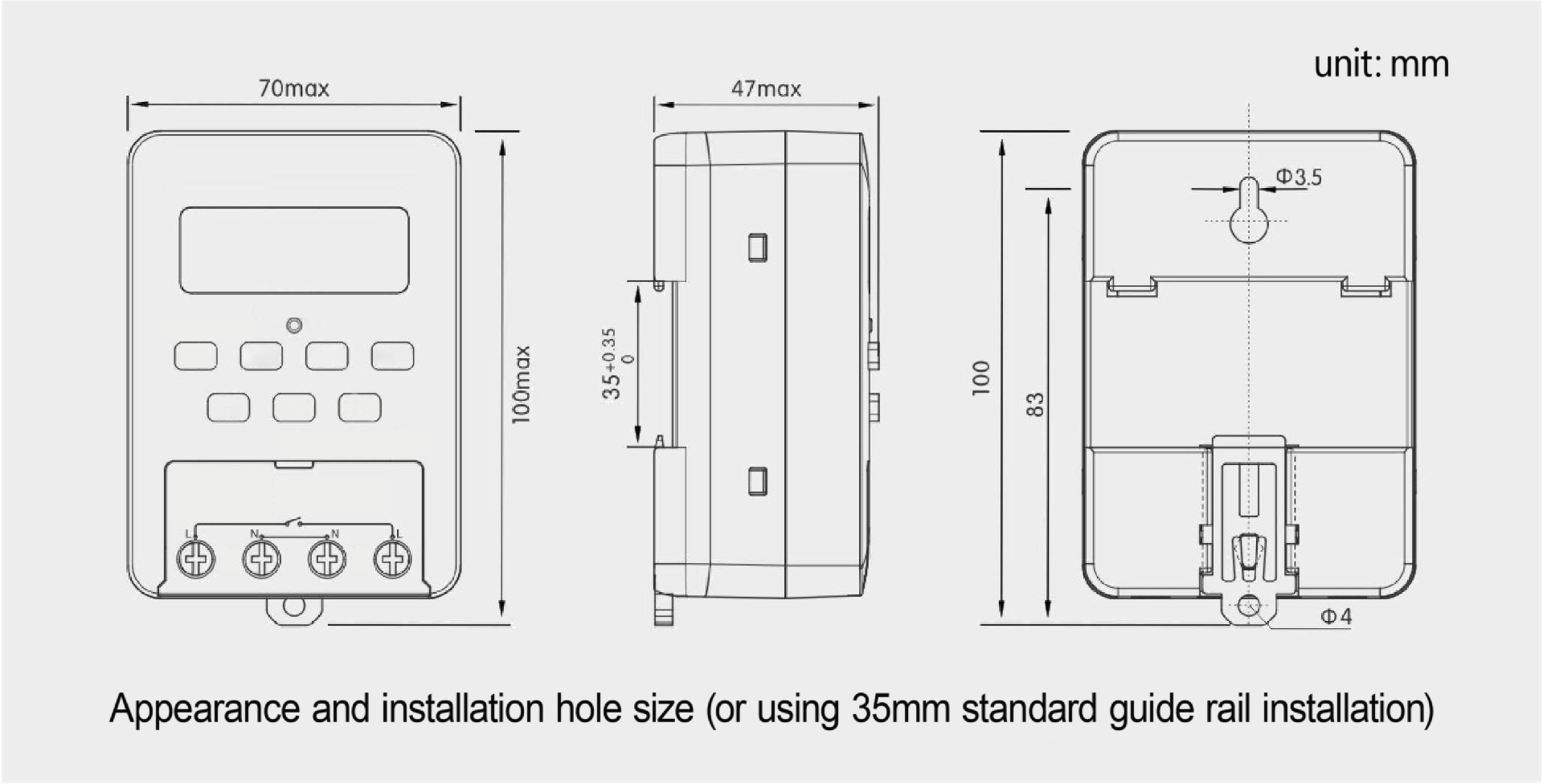
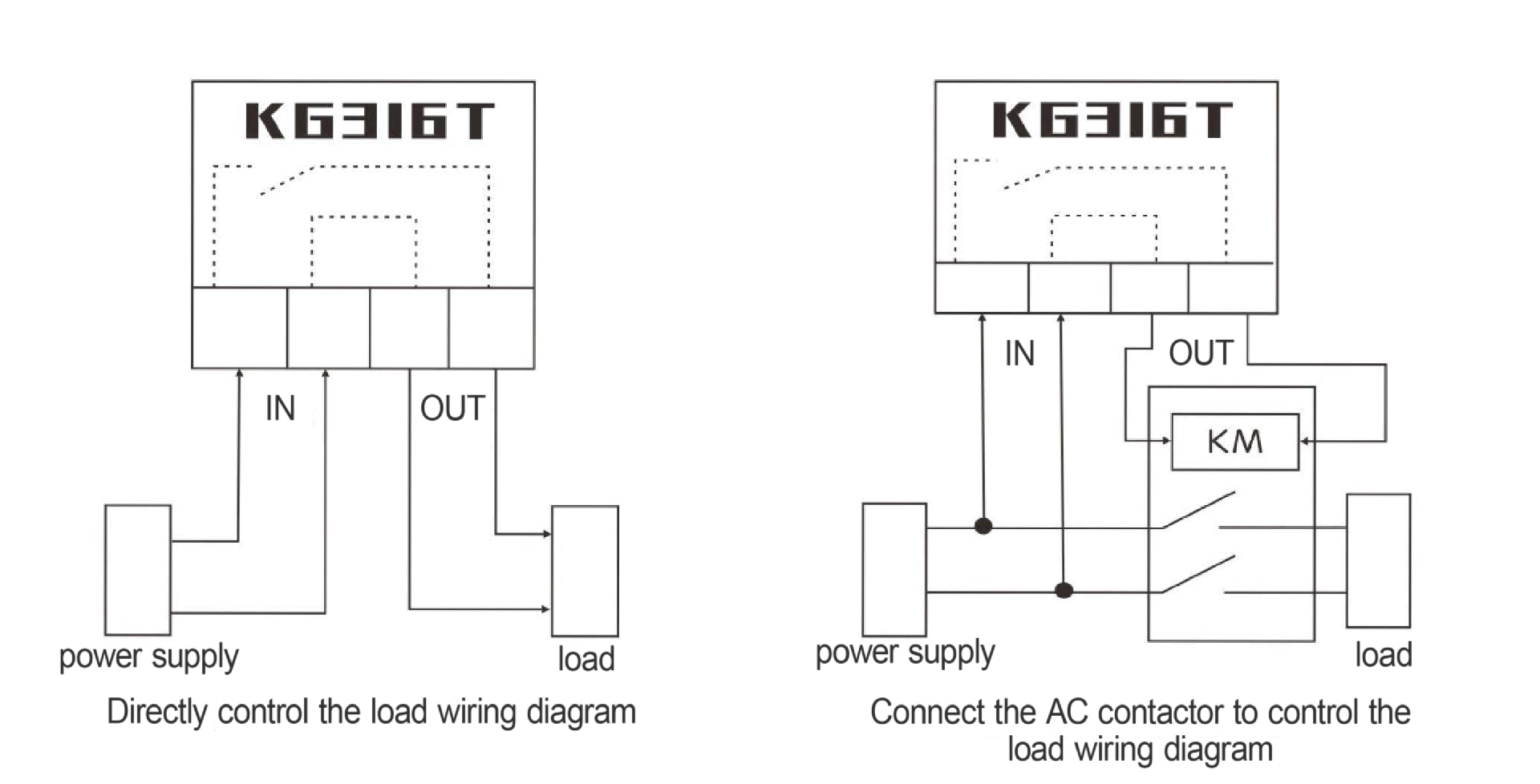
Appearance and wiring diagram
Installation and operation
When the keyboard is not operated, it will automatically lock for 15 seconds, and the symbol “8” will be displayed in the lower left corner.
Unlock: Press the “Cancel/Restore” button 4 times in a row to automatically unlock, and the symbol “3” will disappear.
Set the clock using the “Set Week”, “Set Hour”, and “Set Minute” keys.
Set the on/off times.
| step | key | Set content |
| one | Press the ‘Timer’ button | Enter the ON-time setting; display shows 1 ON |
| two | Press the ‘Set Week’ key | Set the ON time to a specific weekday, every day, or a group of days. |
| three | Use the ‘Set Hour’ and ‘Set Minute’ keys | Set the ON time. |
| four | Press the ‘Timer’ button | Enter the OFF-time setting; display shows 1 OFF |
| five | Press the ‘Set Week’ key | Set the OFF time to a specific weekday, every day, or a group of days. |
| six | Use the ‘Set Hour’ and ‘Set Minute’ keys | Set the OFF time. |
| seven | Repeat 1-6 | Set the switch time for the remaining 2-16 times. If timing is not required, make it display: “–: –“ |
| eight | Press the ‘Clock’ button | End setting and return to clock mode. |
| nine | Press the ‘Auto/Manual’ button | Turn the switch symbol “▼” to the “off” position and then adjust it to the “automatic” position |
Display abbreviation to full day name
| Display | Mo | Tu | We | Th | Fr | Sa | Su |
| Full day name | Monday | Tuesday | Wednesday | Thursday | Friday | Saturday | Sunday |
Automatic weekly clock correction
In the unlocked state, first press and hold the “Cancel/Resume” button, and at the same time press the “Clock” button to display “7d=00” to enter the automatic clock calibration function, indicating that the time that needs to be adjusted in one week is seconds. “7d=- xx” means automatic decrease, and “7d=xx” means automatic increase, with a maximum adjustment range of 28 seconds. Use the ‘Set Week’ key to set the weekly correction, and press the ‘Clock’ key to exit. After the setting is completed, it will automatically increase or decrease the time at 00:31:30 every Saturday.
Operating precautions
To prevent contact heating under high current, it is necessary to tighten the screws on the terminal when wiring.
Never install or disassemble the product while power is connected.
Replace the battery regularly to avoid a dim or blank display. (The unit uses a No. 7 / AAA battery.)
For equipment where failure could cause major economic loss or personal injury, allow adequate margin on technical characteristics and performance, and apply safety measures such as dual-circuit protection.
Common faults and troubleshooting
1. LCD blank or dim: replace the battery.
2. After power on, if the time control switch is not working properly, check whether the time period setting of the time control switch meets the required requirements, and whether the setting of the week is set to the “automatic” position.
3. The indicator lights at the set time but the relay does not switch: check whether the supply voltage is too low.
4. Product burnout
Check whether the supply voltage exceeds the rated voltage and whether the power cord is wired correctly.
5. General troubleshooting
When the unit malfunctions, first disconnect the power, rewire it according to the wiring diagram, check the circuit, and then follow the operating precautions. If the issue is a product defect, contact the local distributor or our company.


