 Yueqing Yijin Electronics Co., Ltd.



How to Read an Under Voltage Relay Wiring Diagram on DIN OUV Protectors
An under voltage relay wiring diagram is a terminal-map fit check: you match the sketch family to the hardware, then read only the printed sensing versus load-path marks.
Ranked sheets often show dry COM/NO/NC contacts firing a shunt-trip coil or a contactor. A DIN over/under voltage protector (OUV) such as YJQGA-63 prints IN and OUT poles instead.
The walkthrough covers family fit, IN versus OUT literacy, when a voltage monitoring relay wiring diagram applies, and when to select YJQGA-63 3P+N.
United States buyers: treat 50 Hz / 60 Hz labels as labels, not UL or NEC approval.
Which Wiring Diagram Family Fits the Hardware
Ranked UV sketches are usually a sensing relay plus a shunt-trip coil, or a dry-contact monitor plus a contactor. A through IN/OUT protector is a different family.
Search results labeled under voltage relay connection diagram typically land three phases and a Neutral on the relay so it can watch the same supply as the load. The output is common, NO, and NC. On a UV fault those contacts change state so a single-phase feed can energize an MCCB shunt-trip coil through common and NO.
Read that sheet as a trip-coil path: load current still runs in the breaker, not through the relay’s tiny contacts.
Voltage monitoring relay wiring diagrams form a second family: L1, L2, L3, and N on the monitor, with NC or NO parked in a contactor coil string. The motor or feeder still goes through the contactor. The monitor only tells the coil when voltage is acceptable.
Breaker undervoltage trip (loss of control voltage trips) versus shunt trip (energize-to-trip) is a third family. Those two coil logics are not interchangeable NO/NC tricks on an ice-cube relay.
When a DIN OUV such as YJQGA-63 prints IN and OUT poles, treat it as a fourth family: the protector itself opens the supply.
| Family | What the sheet is trying to land | Fit with YJQGA-63 photos |
|---|---|---|
| Monitor + MCCB shunt trip | Sensing inputs plus NO path to a trip coil | Different: photos print IN/OUT poles, not a shunt-coil block |
| Voltage monitoring relay + contactor | Sensing inputs plus auxiliary contacts in the coil circuit | Different: load stays on the contactor |
| Through-path DIN OUV | Line IN and load OUT on the same housing | Matches live IN/OUT N, L1, L2, L3 marks |
If the paper in your hand is family one or two, keep it on that architecture. If the housing is IN/OUT, skip any shunt coil the print does not show.
Read IN and OUT Marks Before Tracing Any Line
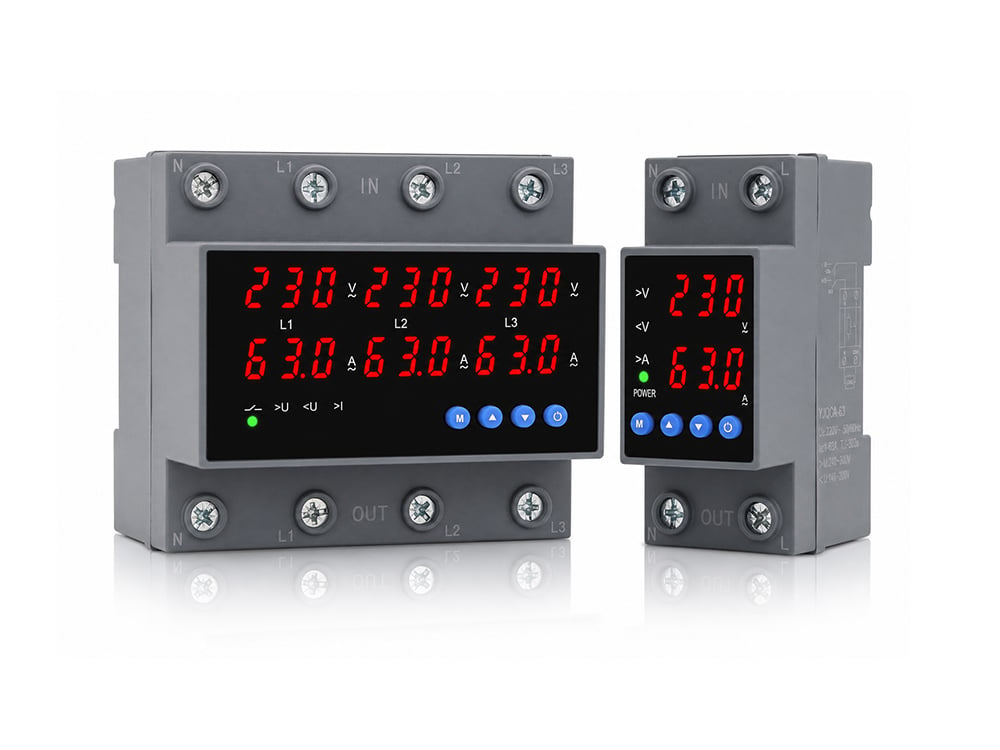
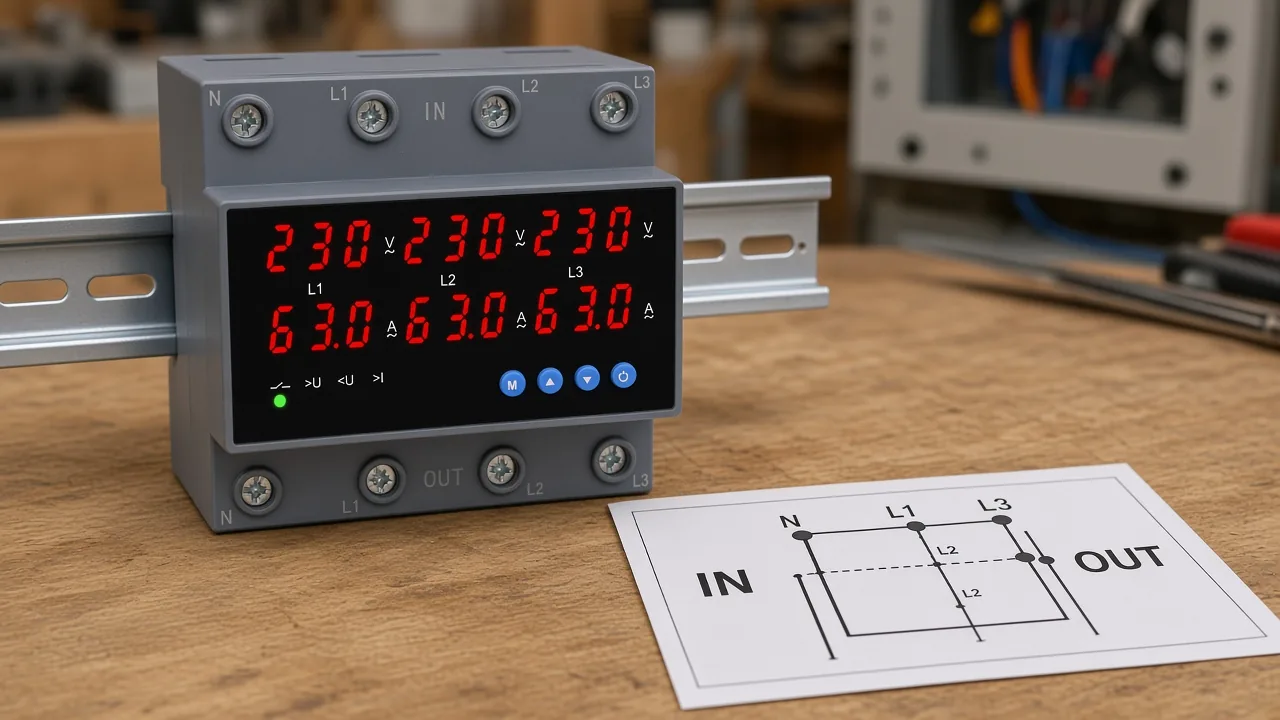
On live YJQGA-63 3P+N gallery photos, IN and OUT each show N, L1, L2, L3.
Read those eight marks before following any line someone drew on a generic UV sheet.
IN / OUT poles, Neutral (N), and L1 L2 L3 are the printed through-path marks.
IN is the supply row. OUT is the load row. N is printed on both rows on the 3P+N housing.
Some three-phase monitors tell you a Neutral is not required for a line-to-line Wye tap. That note belongs to those monitors. It does not erase an N stamp that is already on a 3P+N through-device.
L1, L2, and L3 on IN must be the same phase set you intend to protect. The OUT row is the load-side continuation of those poles after the protector.
The product HTML does not add extra terminal numbers beside those photo marks. Treat unread side-print as unread. Leave 11, 12, or 14 off the screws unless they are printed.
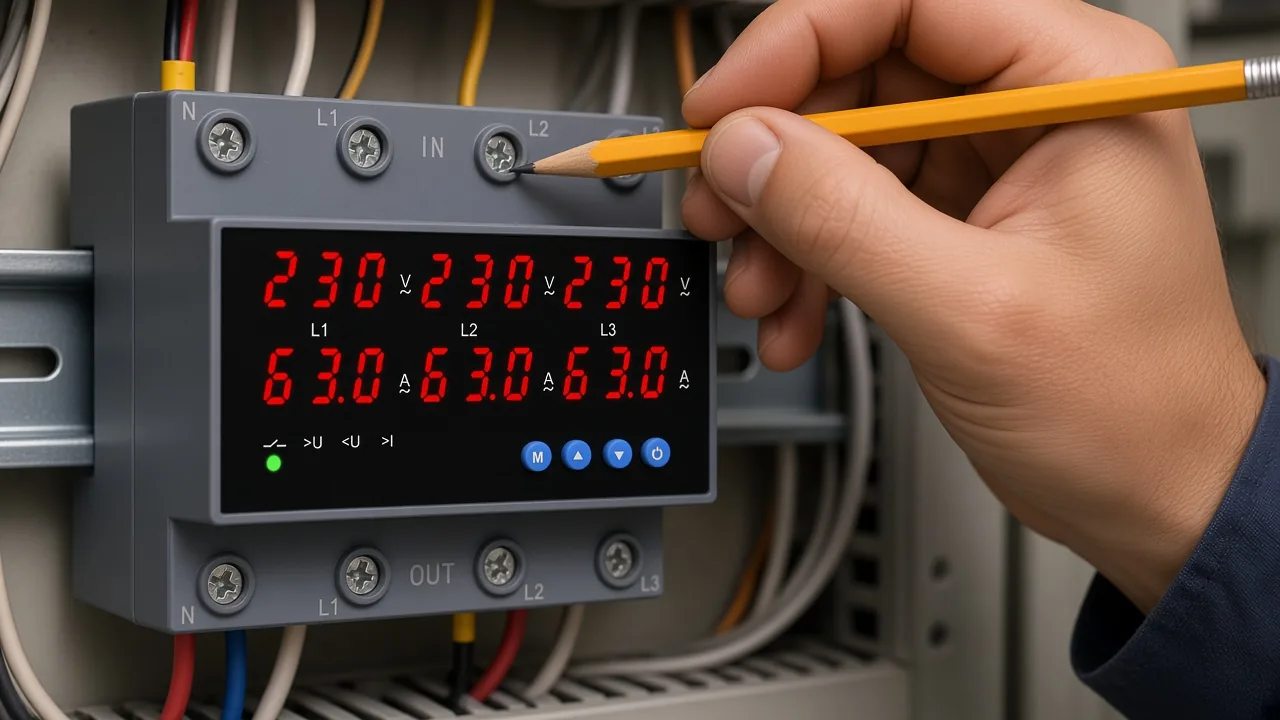
Those IN and OUT stamps are the first read.
| Mark | What it is on this hardware | What it is not |
|---|---|---|
| IN N, L1, L2, L3 | Supply poles into the through-device | A dedicated 11-12-14 auxiliary block |
| OUT N, L1, L2, L3 | Load poles leaving the through-device | A shunt-trip coil pair |
| Display / window settings | Published OV/UV/current window on the AC220/230 V card | Proof of UL or NEC listing |
A coordinator who only checks “are there four screws on top” still has not finished the fit. The row label IN versus OUT is the decision.
Tell a Series Load Path from a Dry-Contact Monitor
A through-path OUV opens the supply so connected equipment is not left on an abnormal voltage or current. A VMR only switches a coil.
YJQGA-63 copy states that the unit combines overvoltage, undervoltage, and overcurrent protection and opens the supply when those faults appear. When the circuit returns to normal, it can restore after a set delay.
That is series load-path behavior. The current you care about goes IN and comes OUT.
A voltage monitoring relay wiring diagram keeps the feeder on a contactor. The monitor’s contacts are control-class. Mixing the two on one sketch is how people land a 63 A feeder onto a coil-only contact block.
If the drawing shows A1/A2 of a contactor in series with 11-14, you are still in the dry-contact family. If the drawing shows the feeder landing on IN and leaving on OUT, you are in the through-path family.
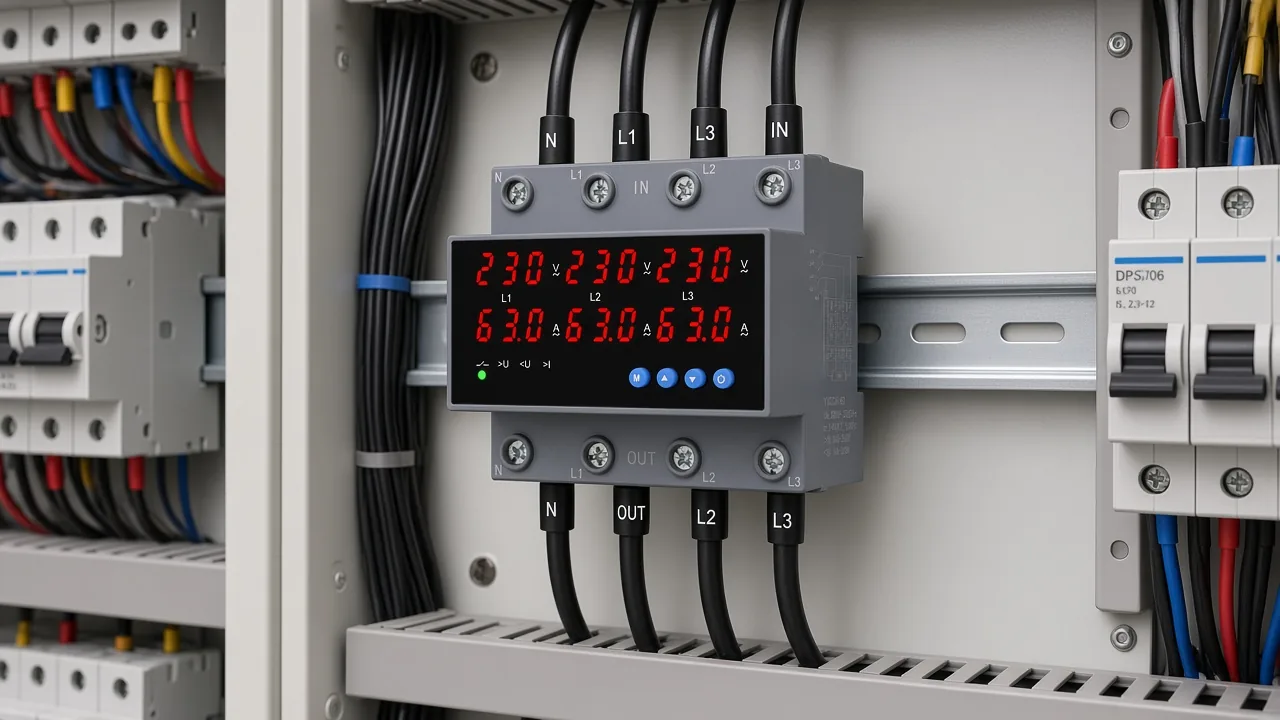
The over and under voltage protector hub is the category for this through-path DIN class. Keep medium-voltage reclosers and SPD catalogs on their own pages.
Definition of the protector function lives on what is a voltage protector. Pickup and meter limits live on under voltage relay testing. Terminal-map fit is the remaining job.
Use NO NC Contacts Only When They Are Printed
11-12-14 is a de-energized contact map. It applies only when the device actually prints those numbers.
On a common control relay, COM / NO / NC labels follow a de-energized map: 11 is common, 12 is NC, and 14 is NO in the shelf state. Energize the coil and 11-14 closes. That language is useful for an under voltage relay circuit diagram that truly has a changeover block.
Those labels stay unused as a default landing on YJQGA-63, because the live photos and HTML do not publish 11, 12, or 14.
Healthy-state logic is a second trap. A contact that is closed when voltage is good may be the NO of a relay that is picked up, or the NC of a relay that is dropped out. The label on the screw is the de-energized picture.
From the field: On a three-phase monitor, techs still treat terminal 14 as the live run output while the machine looks healthy — and then read 0 V because the sheet is drawn de-energized, with 11 as the switch leg, 12 NC, and 14 NO. Electrician Talk thread
Remote or auxiliary contacts follow the same rule. Unprinted contacts stay off the map.
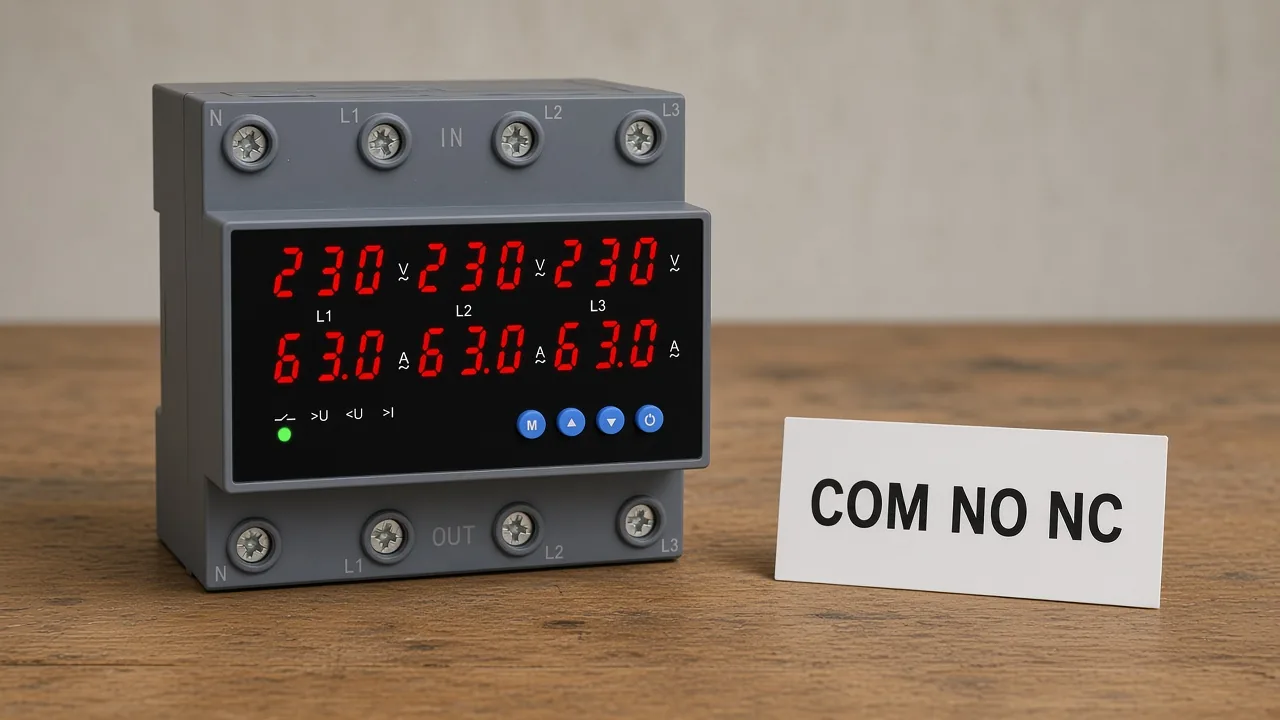
Stop Where the Published Terminal Map Stops
YJQGA-63 HTML has no wiring, terminal, or diagram procedure. Missing torque and conductor size are not hiding in the margin.
The live product page gives the IN/OUT photo marks, the DIN-rail note, and the AC220/230 V window table. That is the published map for this package.
Stop when those marks run out. Skip any imported MCCB shunt-trip sketch, 11-12-14 cube, or 120 V branch default used to fill the silence.
Qualified landing still belongs to the site electrician and the project specification. The job here is terminal-map fit, short of a torque-by-torque install.
If a later drawing from the maker adds numbered auxiliaries, read that drawing. Until then, IN and OUT are the whole map.
Select YJQGA-63 When You Need a 3P+N Load-Path Protector
Choose YJQGA-63 3P+N when the board needs a DIN-rail over/under-voltage plus overcurrent protector whose photos print IN/OUT N, L1, L2, L3.
The live table is an AC220 V / 230 V card. Undervoltage cutoff is adjustable from 140 V to 200 V (default 170 V). UV reset sits 5 V above the UV threshold, 145 V to 205 VAC (default 175 V).
Overvoltage cutoff runs 240 V to 300 V (default 270 V), with OV reset 5 V below the OV limit (default 265 V).
OV/UV reset delay is adjustable from 5 to 300 s (default 30 s). Power-on delay is adjustable from 1 to 300 s (default 5 s).
Rated current is the 63 A class with 1 A–63 A adjustment (default 63 A). Frequency labels are 50 Hz / 60 Hz.
Those numbers belong to that model’s table. They stay off US 120 V branch defaults and off any listing mark.
YJQGA-63 is a low-voltage DIN OUV plus overcurrent protector. Keep SPD modules and medium-voltage automatic reclosers in other catalogs.
Skip this SKU when the drawing is a dry-contact VMR, a breaker MN/MX trip, or a surge module. For US projects, ask for the documentation your specification actually requires; this package does not contain UL Listed or NEC approval evidence.
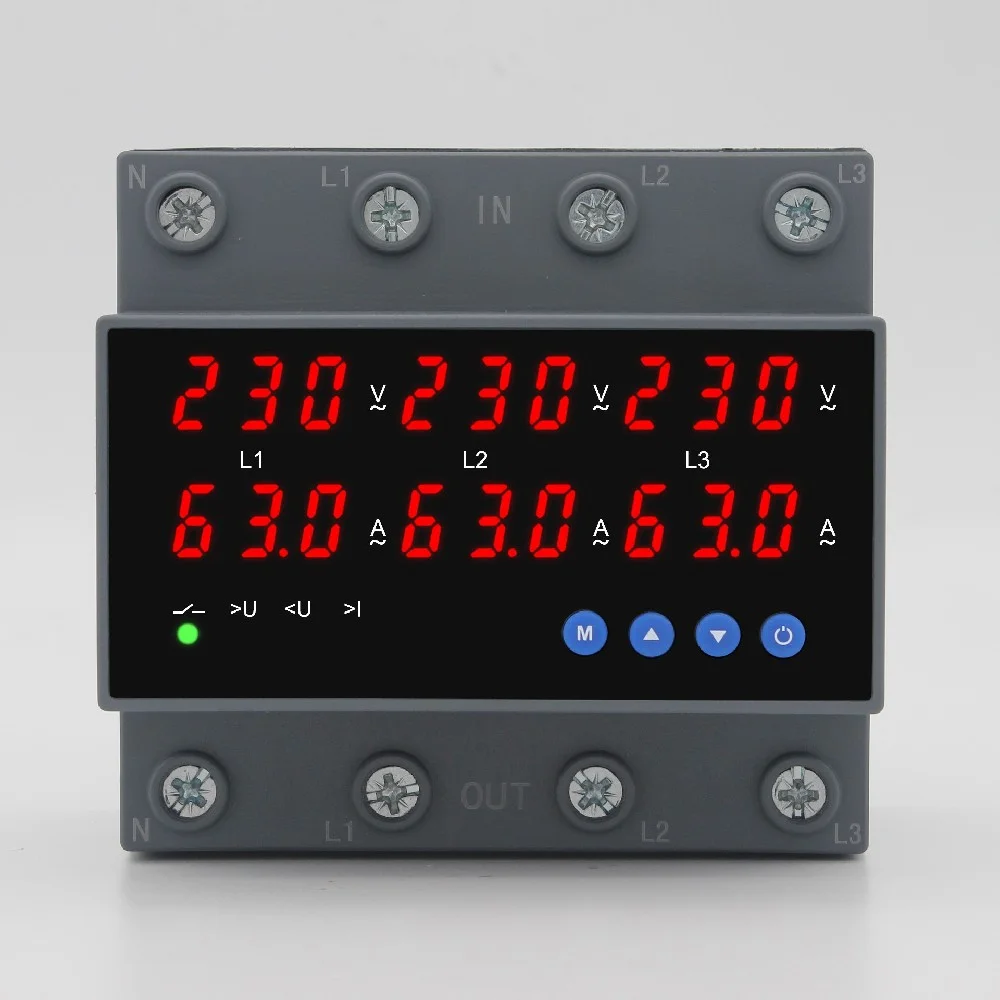
If that IN/OUT 3P+N map is the fit, the next step is the product page itself, or contact for a model confirmation. Leave generic RFQ forms off this page.
FAQ
How do you read an under voltage relay wiring diagram?
Match the sketch family first: shunt-trip coil, dry-contact monitor, or through IN/OUT protector. Then read only the marks printed on that family.
How should a voltage monitoring relay be connected compared with a through-path protector?
A voltage monitoring relay wiring diagram lands sensing on L1–L3 (and N if required) and puts auxiliary contacts in a contactor coil path. A through-path protector lands the feeder on IN and OUT.
What do terminals 11, 12, and 14 mean?
On a common control-relay map, 11 is common, 12 is NC, and 14 is NO in the de-energized state. Use them only when the device prints them.
Do I need a neutral on a 3-phase under-voltage device?
Only if the printed map shows N. YJQGA-63 3P+N photos print N on both IN and OUT. Some line-to-line monitors omit N; that note does not override a printed N.
Can I copy an MCCB shunt-trip sketch onto YJQGA-63?
No. That sketch energizes a trip coil through NO. YJQGA-63 photos print IN/OUT poles and the HTML has no shunt-coil terminals.
Is YJQGA-63 an SPD or a medium-voltage recloser?
No. It is a low-voltage DIN over/under-voltage plus overcurrent protector with delayed auto-restore.
What IN and OUT marks does YJQGA-63 print?
Live gallery photos show IN N, L1, L2, L3 and OUT N, L1, L2, L3.
Do 50/60 Hz labels mean UL or NEC approval for the US?
No. Those frequency labels stay page labels. This package has no UL Listed or NEC approval evidence.