
 Yueqing Yijin Electronics Co., Ltd.



Timer Switch
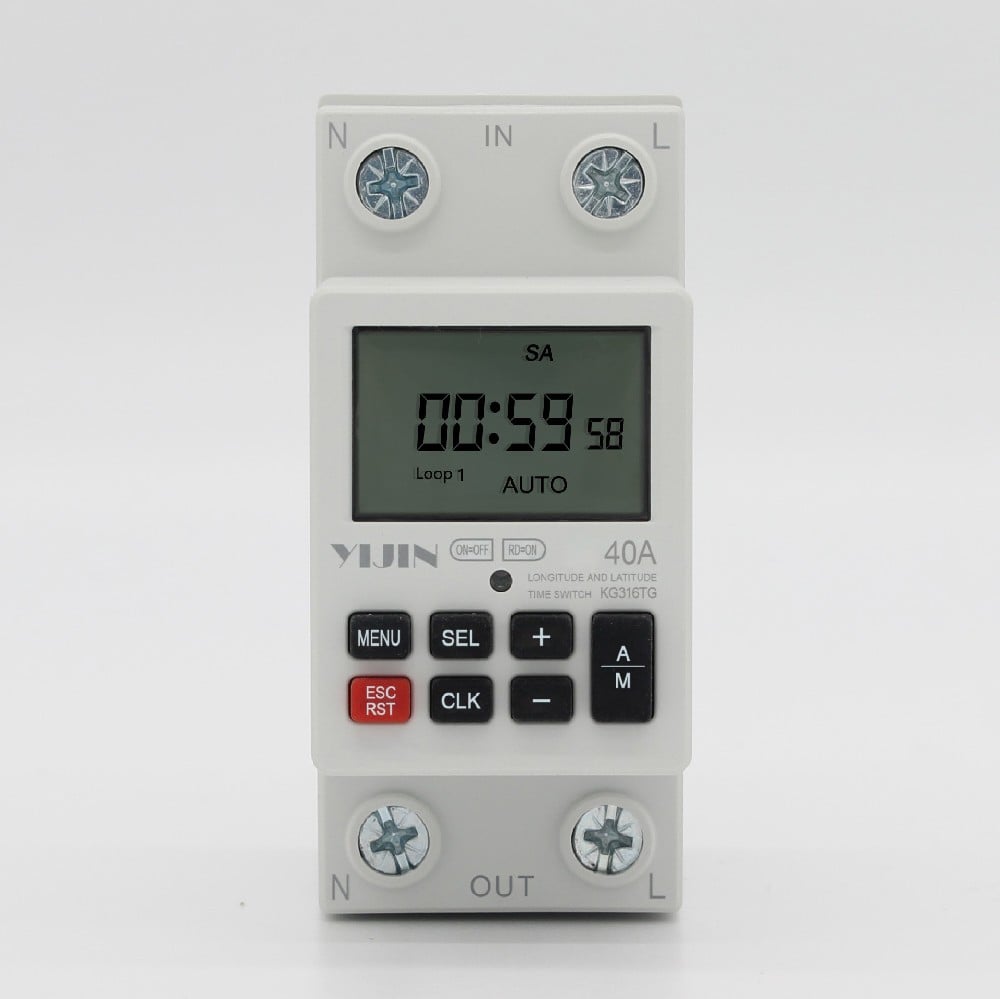
KG316TG36mm modular latitude and longitude time control switch
Functional purposeThis product can automatically turn on and off the power of various electrical devices according to the time set by the user. The scope of product control usage includes electrical and household appliances such as street lights, neon lights, advertising sign lights, production equipment, broadcasting and television equipment that require timed opening and closing.Users…
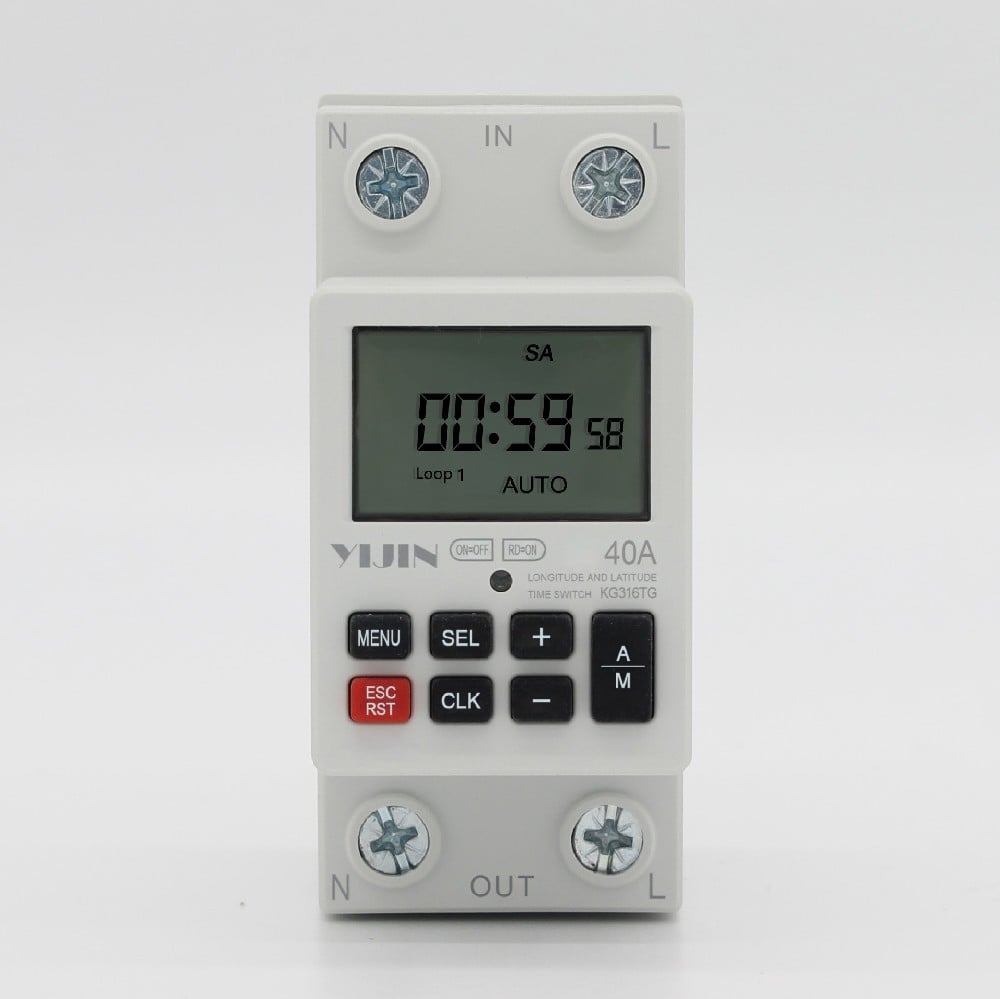
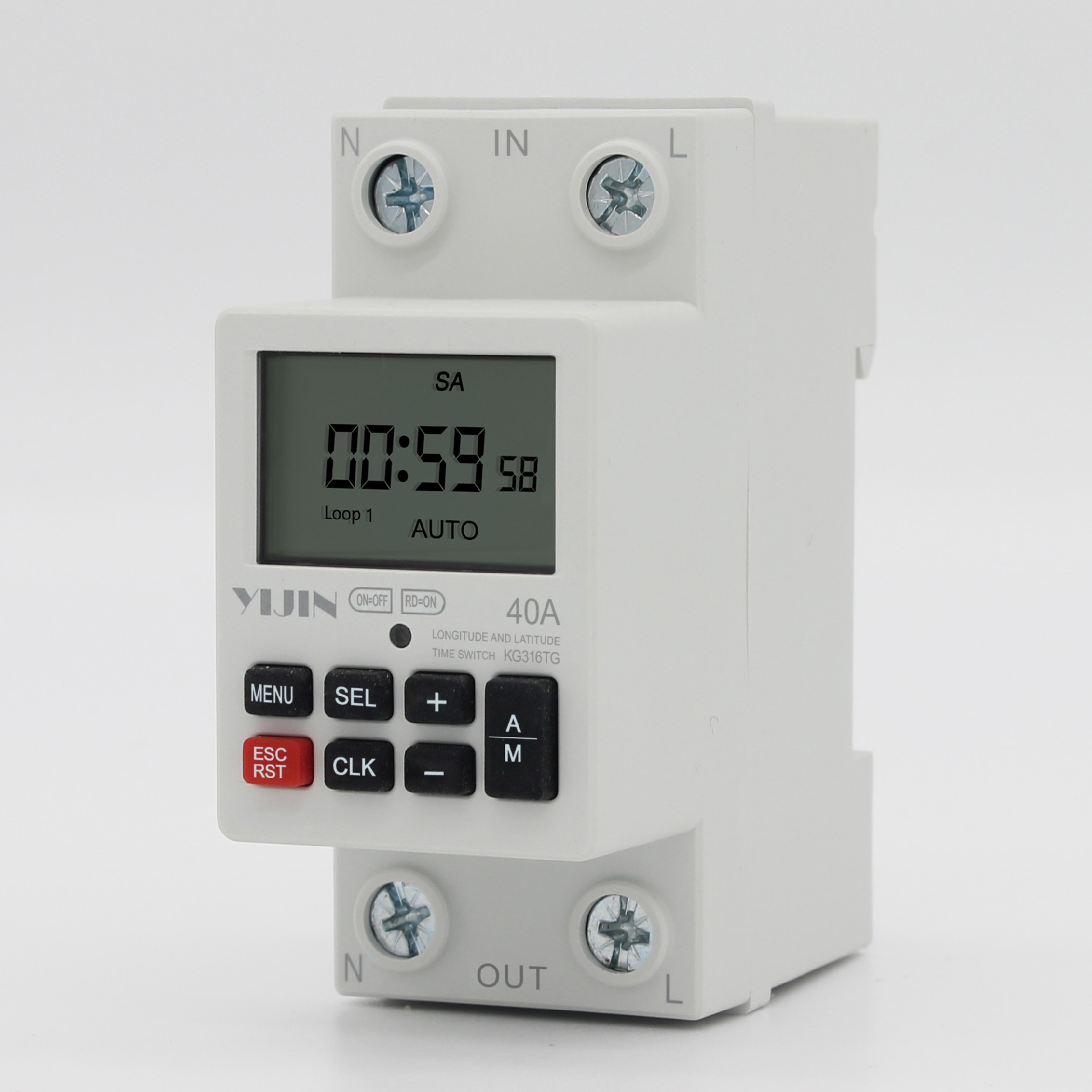
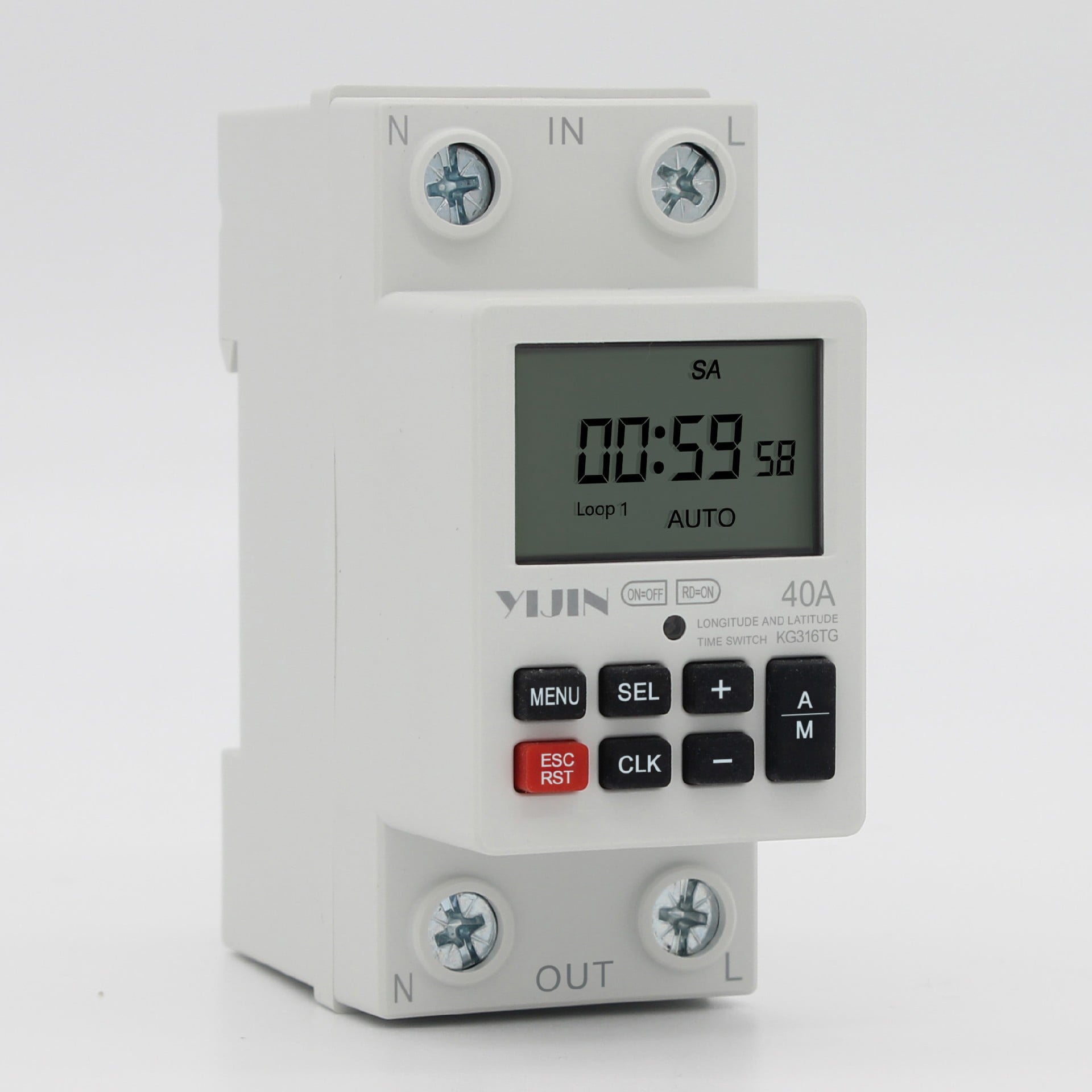
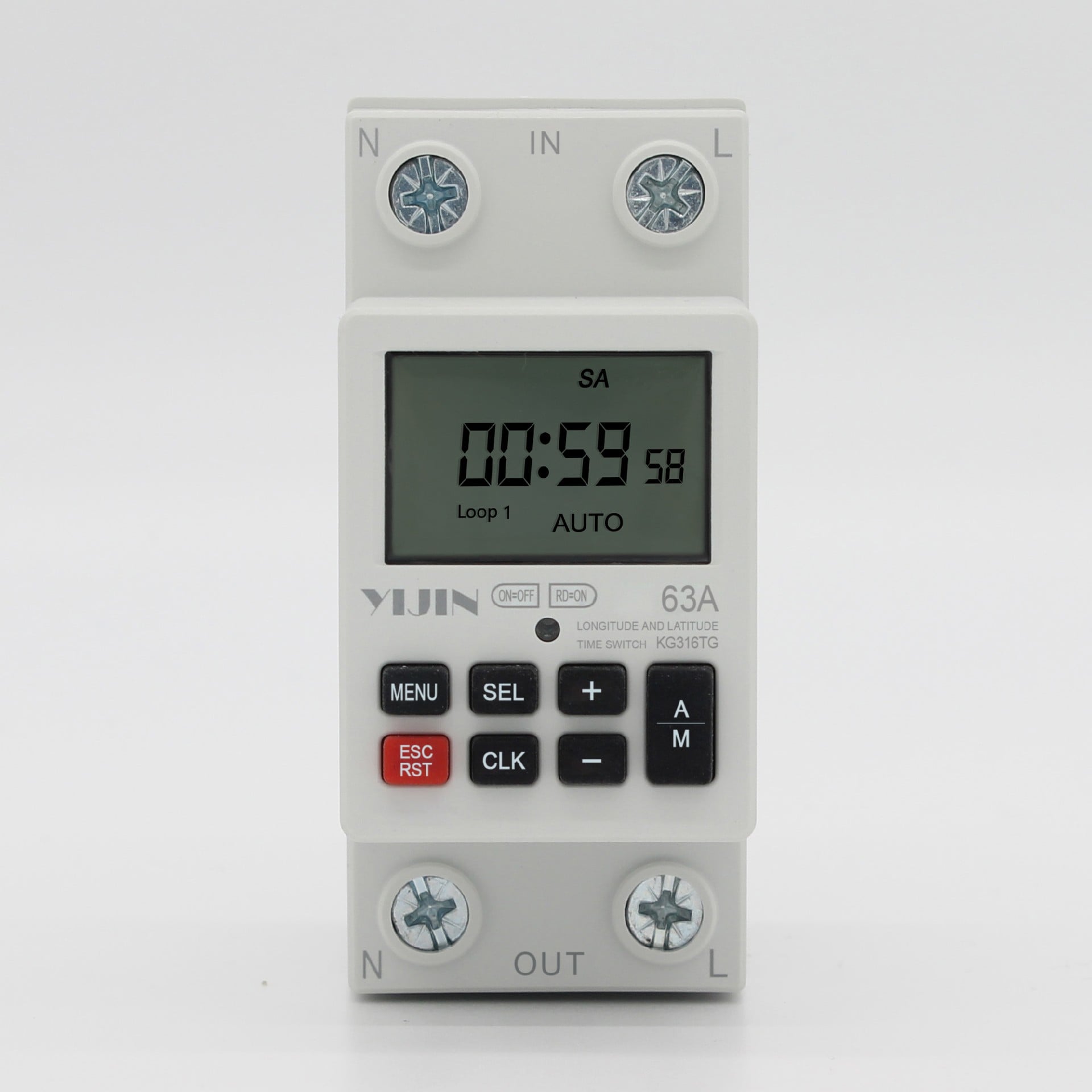
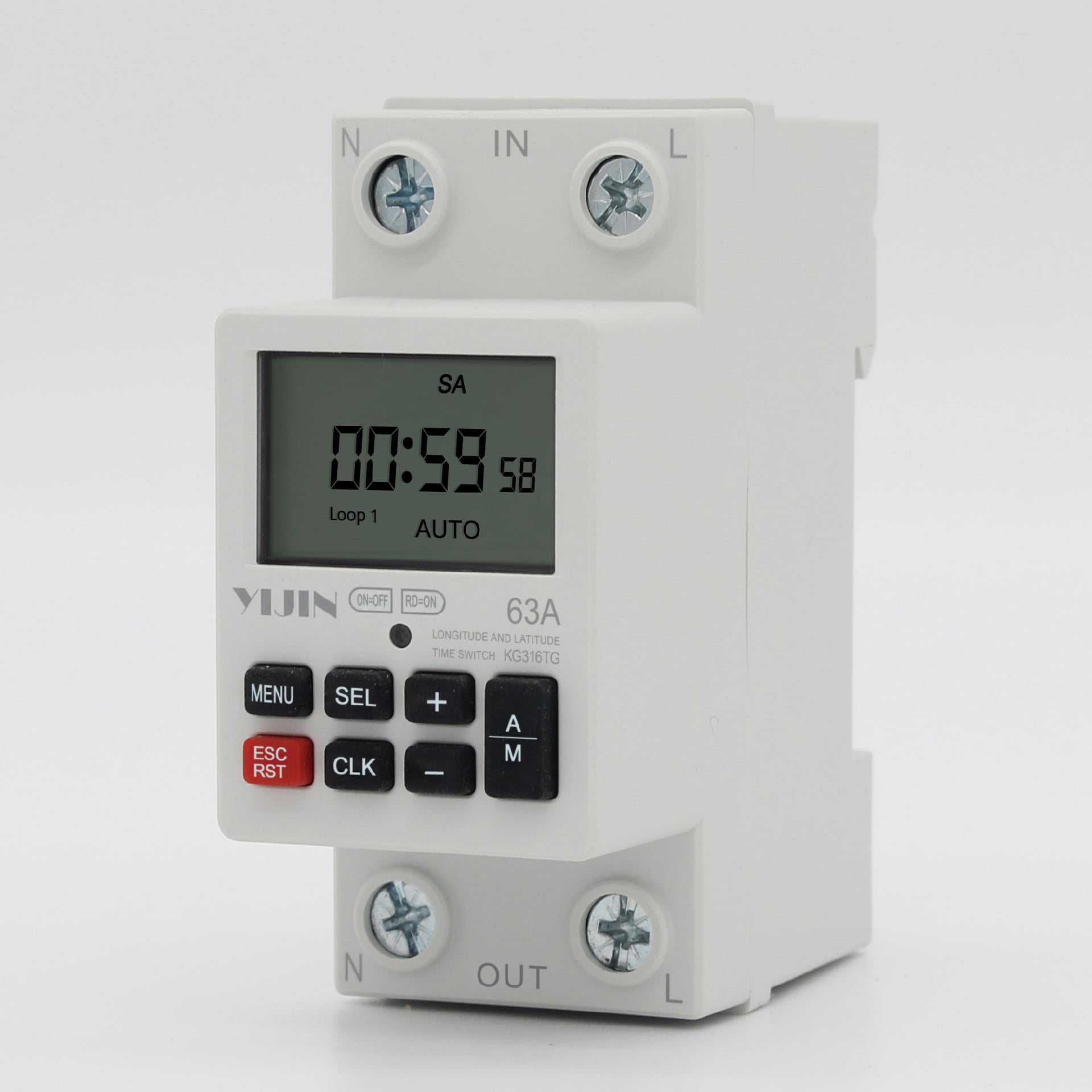
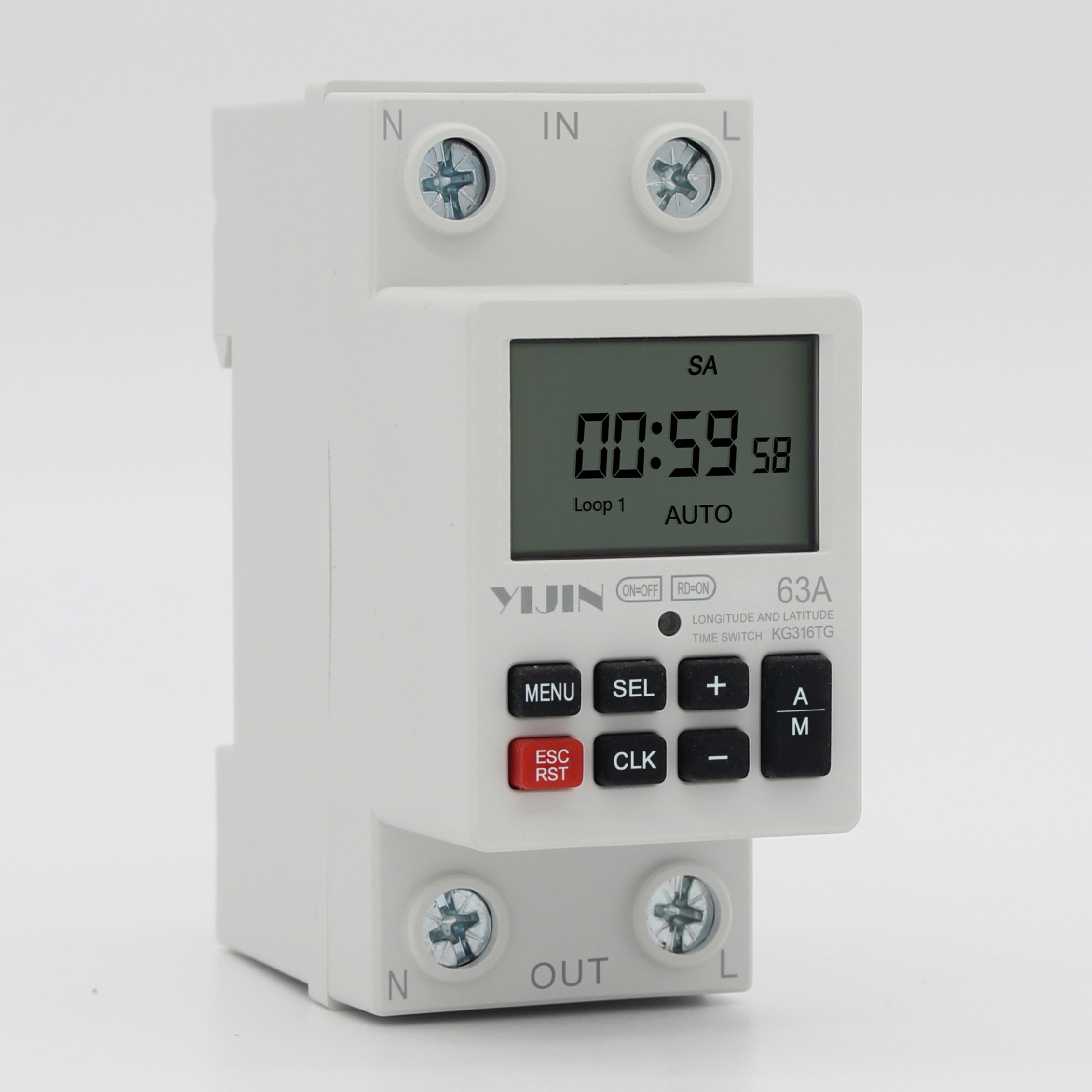
Users can enable (disable) latitude and longitude control functions through settings. The time control switch will automatically adjust the switch time according to different geographical locations, latitude and longitude, and different seasons (dates) sunshine hours.
Functional purpose
This product can automatically turn on and off the power of various electrical devices according to the time set by the user. The scope of product control usage includes electrical and household appliances such as street lights, neon lights, advertising sign lights, production equipment, broadcasting and television equipment that require timed opening and closing.
Users can enable (disable) latitude and longitude control functions through settings. The time control switch will automatically adjust the switch time according to different geographical locations, latitude and longitude, and different seasons (dates) sunshine hours.
performance index
| Power supply voltage: AC 187~240V 50/60Hz | Switch capacity: 40A (resistive); 63A (resistive) |
| Power consumption:< 5VA | Environmental humidity:< 85%RH |
| Time control range: 1 minute to 168 hours | Longitude range: 0 ° E~180 ° E 0 ° W~-180 ° |
| Timing error:<± 2 seconds/day | Latitude range: 0 °~80 ° N |
| Environmental temperature: -10~50 ℃ (no frost) | Installation method: guide rail |
Display and Function Description
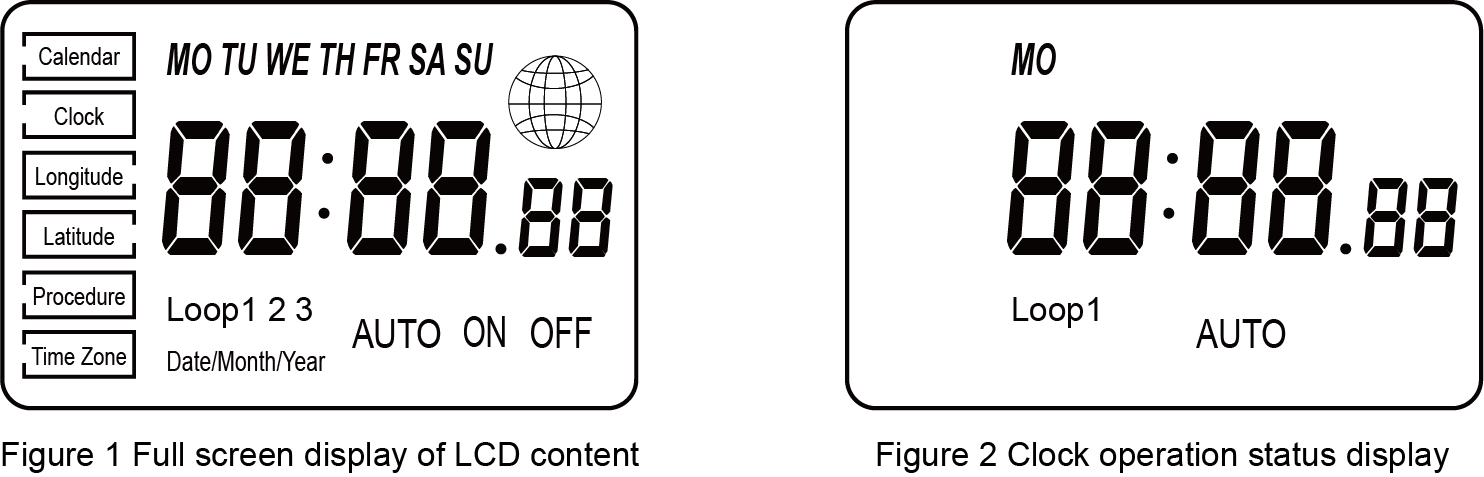
Calendar: The current date is displayed in the order of day/month/year.
Clock: The current time is displayed in the order of hours, minutes, and seconds.
Longitude: The longitude value of the user’s location, which can be set within the range of 0 ° E to 180 ° E and 0 ° W to -180 ° W
Latitude: The latitude value of the user’s location, which can be set within the range of 0 ° to 80 ° north latitude
Program: The switch circuit and time program that the product needs to execute. The display of the earth sign indicates the use of latitude and longitude functions, and the system automatically adjusts the required switch time based on the user’s set latitude and longitude, time zone, and other information. If the earth sign is not displayed, the system executes the switch based on the user’s set parameters; Time zone: The time zone executed in the user’s location, with the East time zone being 1-12 and the West time zone being -1-12. The correct time zone must be set when enabling the latitude and longitude control function.
Key function definition
Menu key: Function selection key, cycle through the “Calendar”, “Clock”, “Longitude”, “Latitude”, “Program”, and “Time Zone” functions in sequence.
The cursor stops at the selected function mode.
Selection key: Select functional parameter items. The selected parameter item is flashing.
+Key: Parameter increment- Key: Parameter decrements.
Manual/Auto button: It can switch between on/auto/off mode during normal operation.
Clock key: Set the status to return to the clock running key.
Cancel/Reset button: In the program setting state, the set program can be cancelled or restored. After the program is cancelled, it will display: “–:
— “indicates no set program;
Cancel/Reset button: Long press to power on+ Key key: Simultaneously press and hold to shut down.
Key operation process
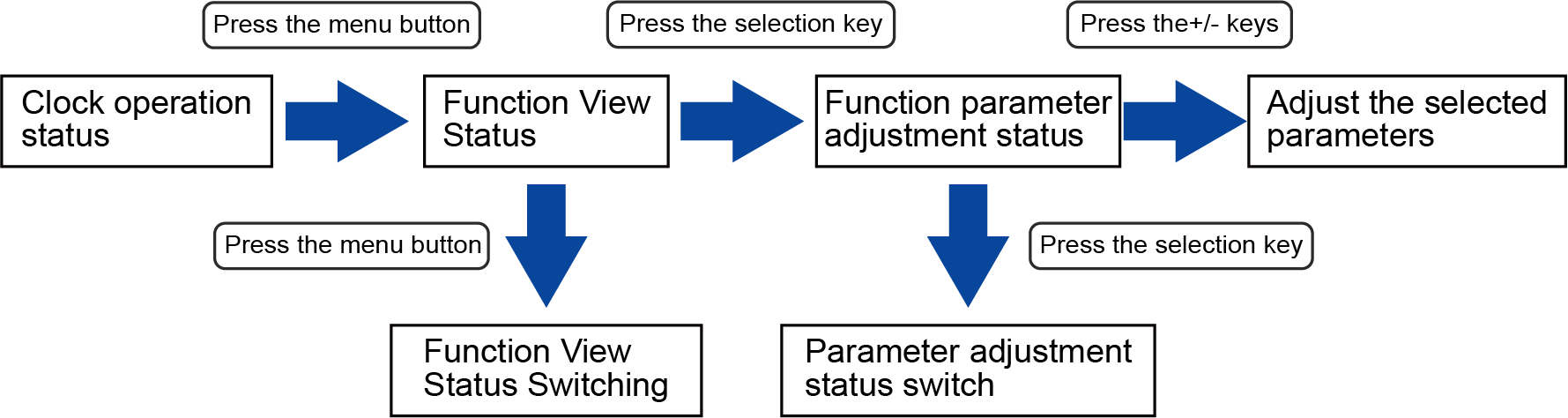
When viewing or adjusting the status, press the clock button to immediately return to the clock running state. If there is no button operation within 30 seconds, return to the clock running state
Program Setting Example
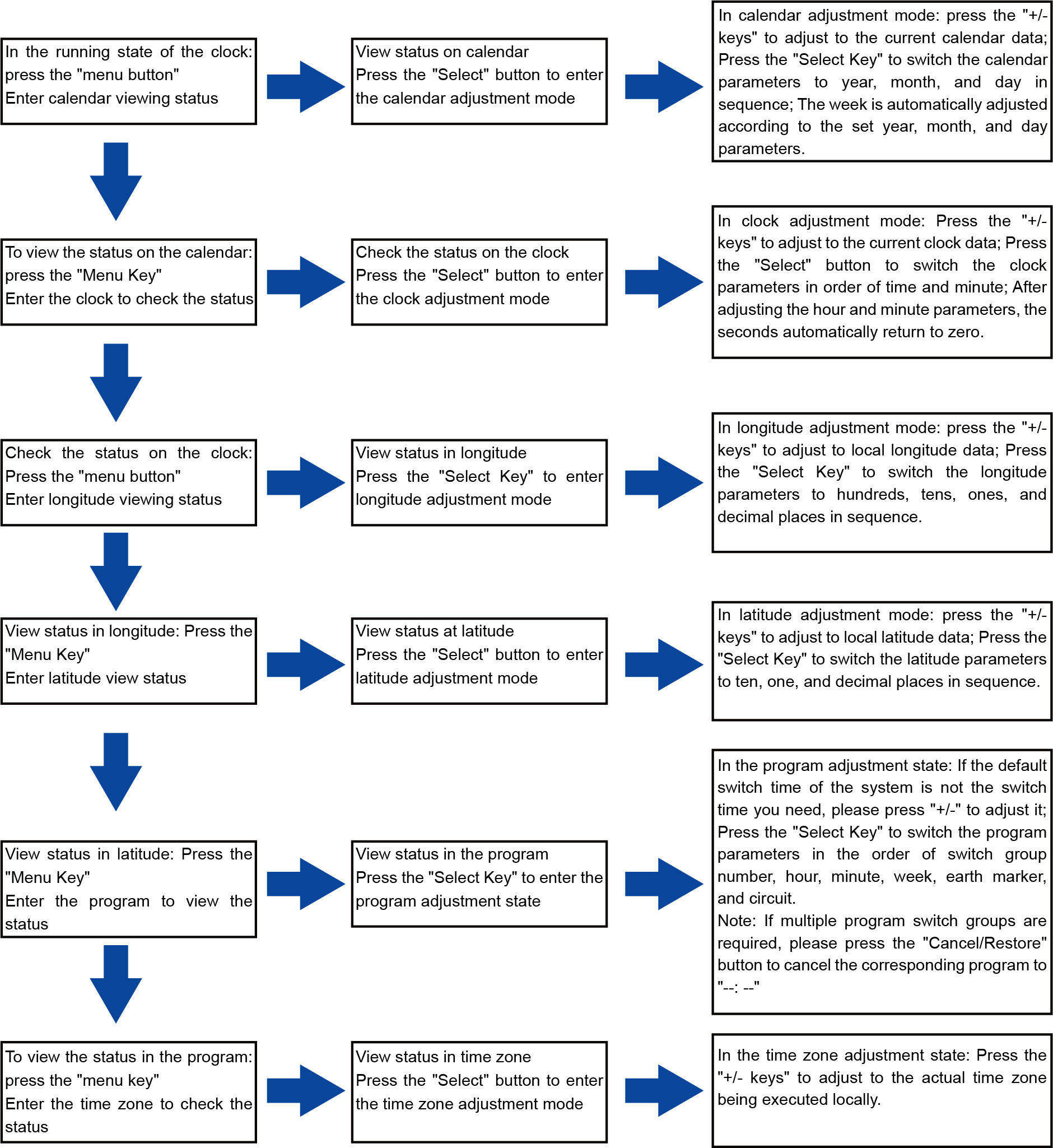
After setting up, press the “Menu” or “Clock” button to return to the clock running state. If you need to turn on the lights immediately after setting up the program, press the “Manual/Auto” button while the clock is running to set the working mode to “Auto On”. The product will immediately turn on and turn off at the program time point when the system runs to off. After that, it will automatically execute according to the on/off program time; On the contrary, please set the working mode to ‘Auto Off’.
Product appearance and wiring diagram
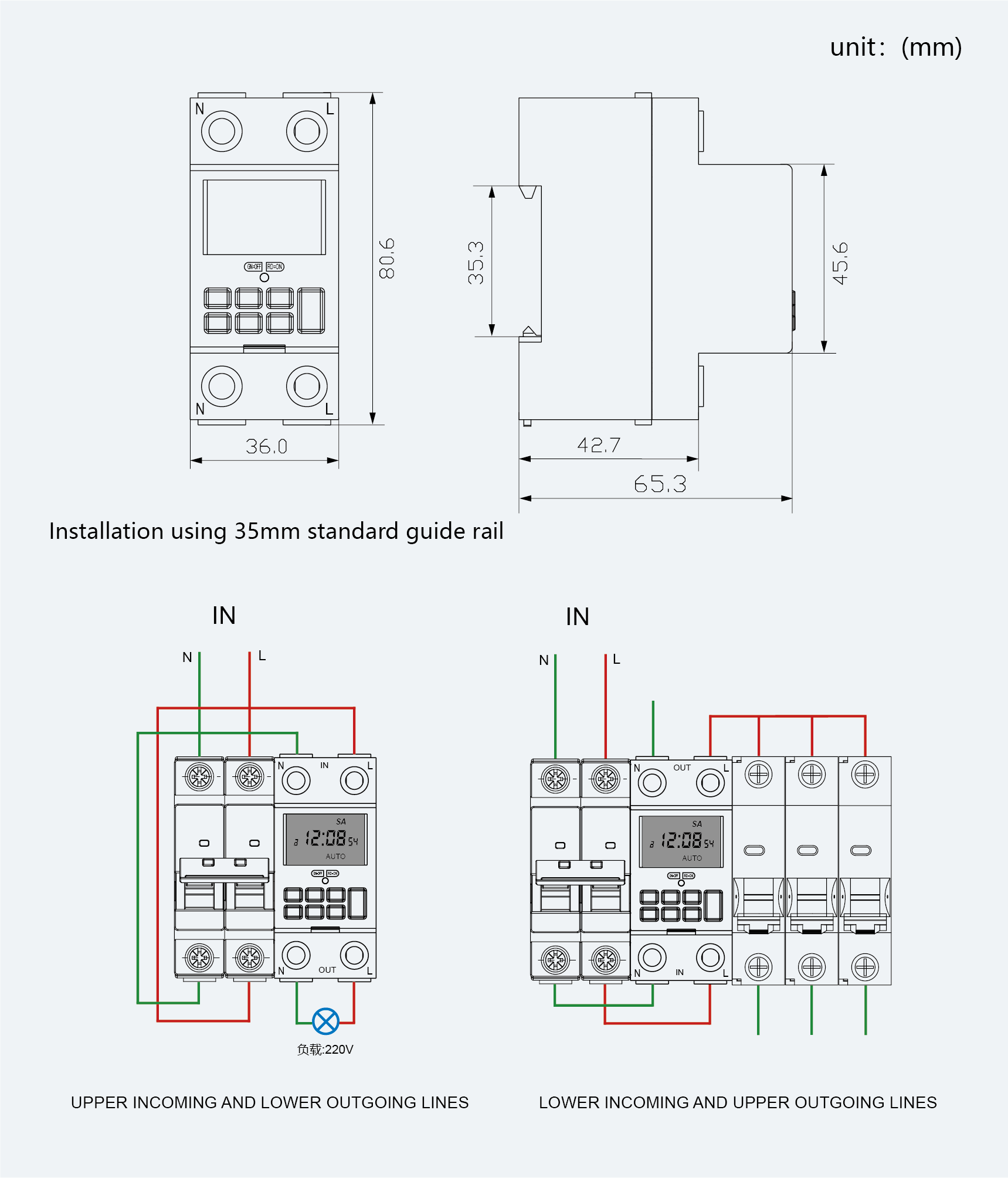
precautions
If this switch is turned on when it should not be turned on or off when it should not be turned off, it may be because extra sets of switch time have not been cancelled. Refer to the program adjustment method described in the “Program Settings” to cancel it (note: the switch time display “–: –” only indicates cancellation, do not assume that “00:00” indicates cancellation)
Equipment that may cause life-threatening accidents or have a significant impact on society due to errors in the time control switch (such as medical equipment and large equipment) is strictly prohibited from using this time control switch.
For equipment (such as large heaters or cold storage) that has suffered significant property damage due to an error in the time control switch, it is important to ensure that there is sufficient margin for the values of its characteristics and performance when using this time control switch, and to take safety measures such as double circuits.
Please do not repair, disassemble or modify on your own. Repair, inspection and other work must be entrusted to the dealer or the unit responsible for construction.
After connecting the power supply, do not touch the terminal part. This switch operates in an environment free from moisture, corrosion, and high metal content gases. Do not let it come into contact with oil or water.
Common faults and troubleshooting methods
When the time control switch reaches the set turn-on time, the action indicator light is on, or when it reaches the set turn off time, the power indicator light is on, but the relay does not switch. Check if the power supply voltage is too low.
Burnt out product: Check if the power supply exceeds the rated power supply voltage of the product and if the power cord is connected incorrectly.
Troubleshooting: When the product malfunctions, the first step is to quickly disconnect the power supply, connect the wires correctly according to the wiring diagram, check the circuit for errors, and then follow the operating precautions. If it is indeed a quality issue with the product itself, please contact the local distribution company or our company.
LCD is not displaying, please confirm if the product has been turned on.


