 Yueqing Yijin Electronics Co., Ltd.



Over and Under Voltage Protector
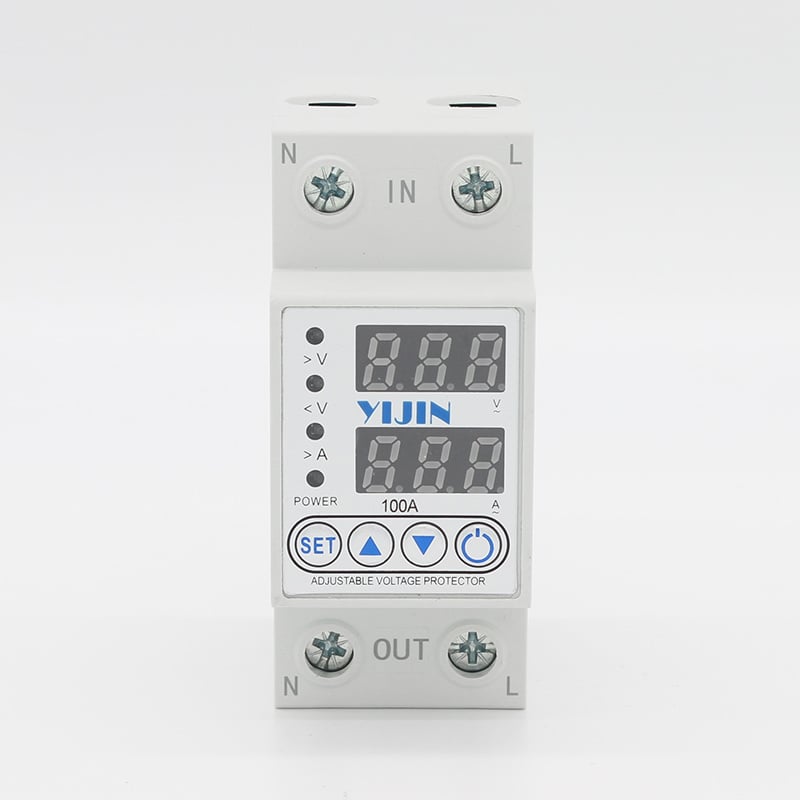
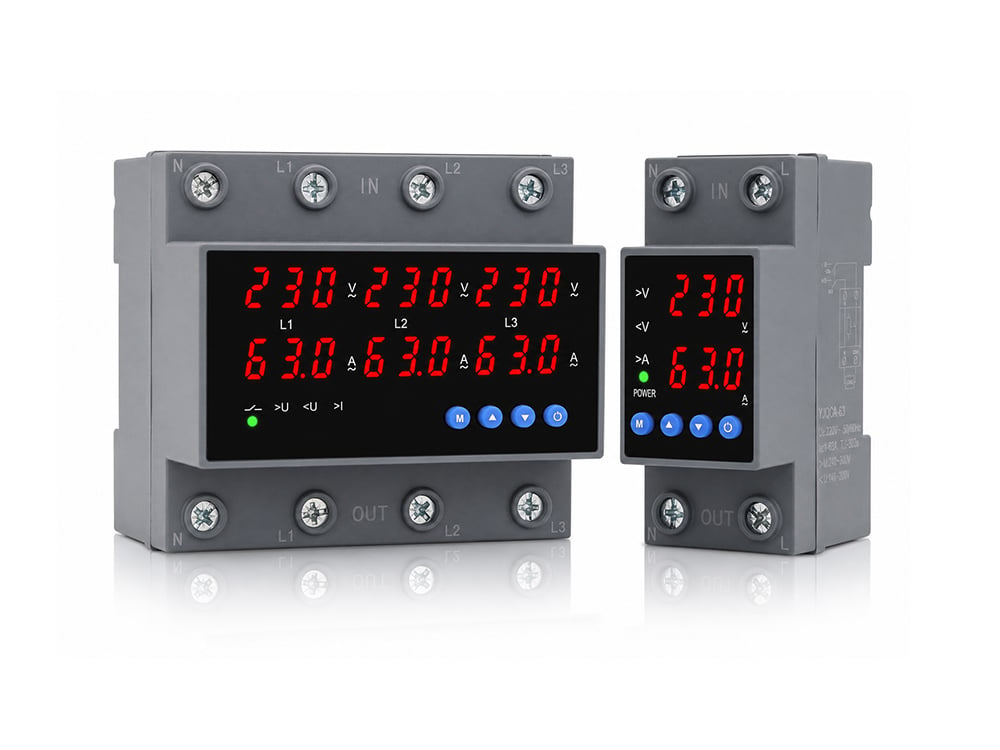
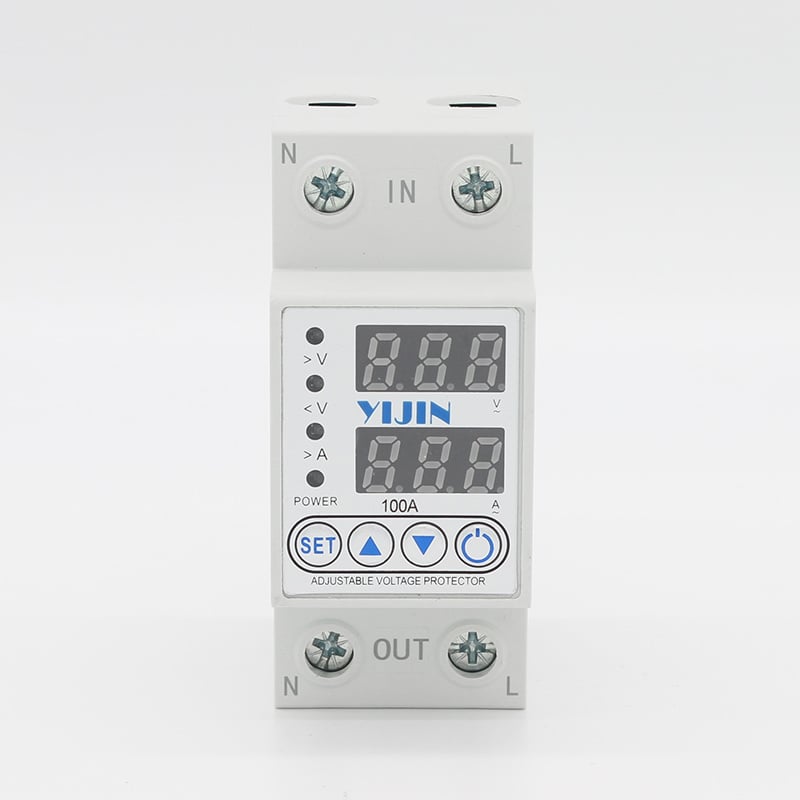
YJQGA-100 1P+N Self resetting Overvoltage and Overcurrent Protector
Scope applicationThe multifunctional overvoltage, undervoltage, and overcurrent intelligent protector is a comprehensive intelligent protector that integrates overvoltage protection, undervoltage protection, and overcurrent protection. When any line experiences overvoltage, undervoltage, or overcurrent faults, this product can instantly cut off the power supply to avoid unnecessary damage to electrical equipment.When the line returns to normal, the protector…
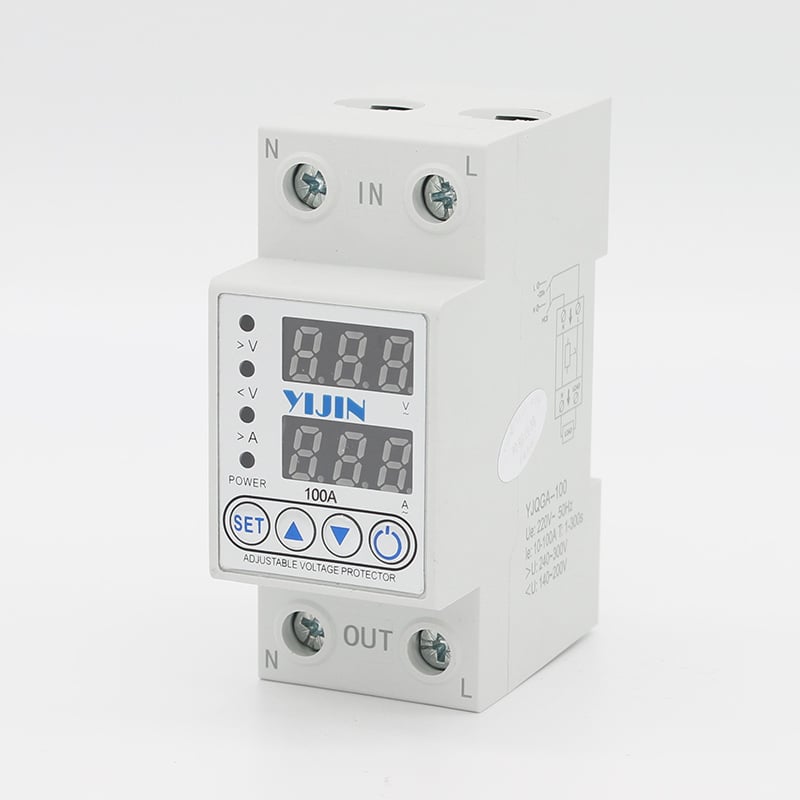
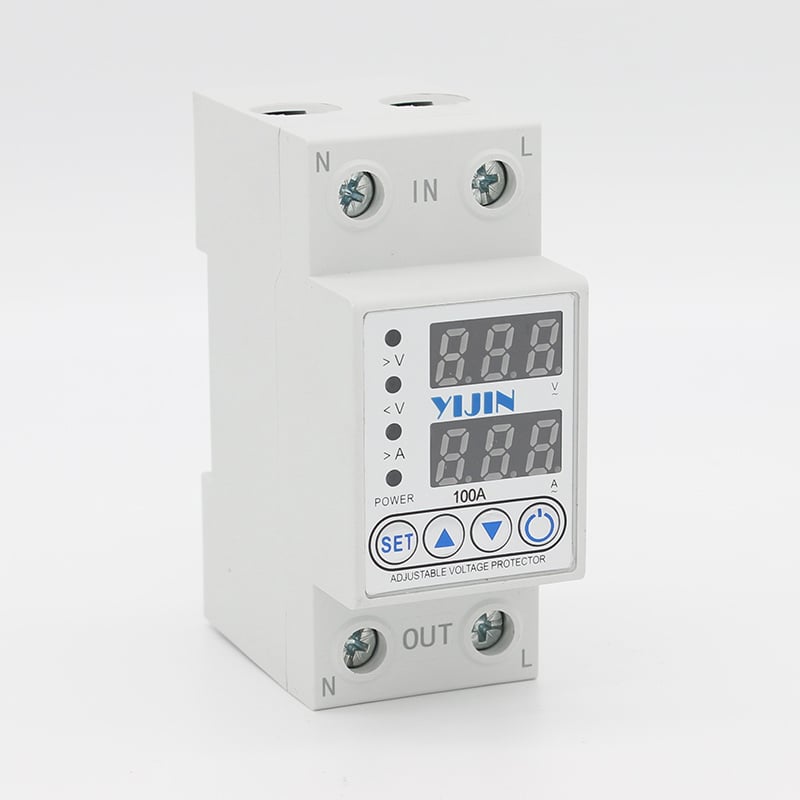
When the line returns to normal, the protector can automatically restore power supply. The overvoltage protection value, reset value after overvoltage protection, undervoltage protection value, reset value after undervoltage protection, ···
Scope application
The multifunctional overvoltage, undervoltage, and overcurrent intelligent protector is a comprehensive intelligent protector that integrates overvoltage protection, undervoltage protection, and overcurrent protection. When any line experiences overvoltage, undervoltage, or overcurrent faults, this product can instantly cut off the power supply to avoid unnecessary damage to electrical equipment.
When the line returns to normal, the protector can automatically restore power supply. The overvoltage protection value, reset value after overvoltage protection, undervoltage protection value, reset value after undervoltage protection, overcurrent protection value, circuit recovery time value, and reset time value after overvoltage and overcurrent protection of this product can all be set by oneself, and the corresponding parameters can be adjusted according to the local actual situation. Widely used in areas such as homes, shopping malls, schools, factories, etc.
Product Features
The product is a new generation intelligent protector designed and produced in full compliance with enterprise standards for overvoltage, undervoltage, and overcurrent.
Automatically cut off the line when overvoltage, undervoltage, and overcurrent faults occur; When the line voltage or current returns to normal, this product automatically restores normal power supply according to the user’s set delay time, without the need for manual operation.
When there is a transient or transient overvoltage in the circuit, the protector does not malfunction. When the voltage of the line is unstable or suddenly disconnected and then suddenly reconnected due to faults such as false contacts, the protector will not immediately connect the line. This delay time can be set by the user according to local conditions.
The maximum line voltage should not exceed 330VAC to prevent damage to the product due to high power supply voltage. If a high power supply is required in specific situations, please contact the manufacturer. Normal working conditions
1. Surrounding air temperature
Operating temperature -25 ℃~+75 ℃: The average value within 24 hours should not exceed+35 ℃
2. Altitude
The altitude of the installation site shall not exceed 2000 meters
3. Atmospheric conditions
a. When the ambient air temperature is+35 ℃, the relative humidity of the air should not exceed 50%, and higher relative humidity is allowed at lower temperatures.
b. When the monthly average minimum temperature of the wettest month is+20 ℃, the monthly average relative humidity does not exceed 90%, taking into account the condensation that occurs on the surface of the product due to temperature changes.
4. Pollution level
The pollution level used for the protector is level 3.
5. Installation category
Installation categories are II and III.
6. Installation conditions
a. The protector can be installed vertically or horizontally inside the cabinet, and special requirements require special ordering.
b. It should be installed in a medium without explosive hazards, and there should be no gas or conductive dust in the medium that can corrode metals and damage insulation.
c. It should be installed in a place without rain or snow invasion.
Product Settings
1. Press and hold the “SET” button for 5 seconds to enter the setting mode; At this moment, all indicator lights are on.
2. Overvoltage protection value setting: The P1 interface is the overvoltage value setting interface, which can be adjusted by pressing the up or down key. The adjustable range is 240V~300V (default is 270V);
3. Reset value setting after overvoltage protection: Short press the “SET” button to enter the P2 overvoltage protection recovery value setting interface. The value can be adjusted by pressing the up or down button, with an adjustable range of 235V~295V (starting from 5V below the overvoltage value, default 265V);
4. Undervoltage protection value setting: Short press the “SET” button to enter the P3 undervoltage value setting interface. You can adjust the size of the undervoltage value by pressing the up or down button, with an adjustable range of 140V-200V (default is 170V);
5. Reset value setting after undervoltage protection: Short press the “SET” button to enter the P4 undervoltage protection recovery value setting interface. The value can be adjusted by pressing the up or down button, with an adjustable range of 145V~205V (starting from 5V above the undervoltage value, default 175V);
6. Overcurrent protection value setting: Short press the “SET” button to enter the P5 overcurrent value setting interface. The overcurrent value can be adjusted by pressing the up or down button. The adjustable range is 40A specification/1A~40A (default 40A); 63A specification/1A~63A adjustable (default 63A); 80A specification/1~80A adjustable (default 80A); 100A specification/10A~100A adjustable (default 100A);
7. Power on and power-off delay time setting: Short press the “SET” button to enter the P6 power on delay time setting interface. You can adjust the value by pressing the up or down button, with an adjustable range of 1-300s (default 5s);
8. Reset delay time setting after overvoltage and undervoltage protection: Short press the “SET” button to enter the P7 overvoltage and undervoltage protection recovery delay time setting interface. The value can be adjusted by pressing the up or down button, with a range of 5-300s (default 30s);
9. Reset delay time setting after overcurrent protection: Short press the “SET” button to enter the P8 overcurrent protection recovery delay time setting interface. The value can be adjusted by pressing the up or down button, with an adjustable range of 30-30s (default 30s);
10. After completing the product program settings, press the “SET” button to reset (note: each time you adjust any value on the interface, you need to follow the above process to flip through the page before saving the settings);
11. Enter the settings interface and press the up and down keys simultaneously to restore the factory settings.
Main parameters and technical performance
| product name | Overvoltage, undervoltage, overcurrent reclosing protector |
| Number of product poles | 1P+N, 3P+N |
| rated operational voltage | AC220V |
| rated working current | 1~40A adjustable (default 40A), 1~63A adjustable (default 63A) 1~80A adjustable (default 80A), 10~100A adjustable (default 100A) |
| Rated working frequency | 50Hz/60Hz |
| Overvoltage action cut-off value | 240V-300V adjustable (default 270V) |
| Reset value after overvoltage protection | 235V~295VAC adjustable (starting from 5V below the overvoltage value, default 265V) |
| Undervoltage action cut-off value | 140V-200V adjustable (default 170V) |
| Reset value after undervoltage protection | 145V~205VAC adjustable (starting from 5V above the undervoltage value, default 175V) |
| Cut off value of overcurrent action | 40A: 1-40A adjustable (default 40A), 63A: 1-63A adjustable (default 63A); 80A: 1-80A adjustable (default 80A), 100A: 10~100A adjustable (default 100A) |
| Power on and power-off delay time | Adjustable from 1 to 300 seconds (default 5 seconds) |
| Reset delay time after overvoltage and undervoltage protection | Adjustable from 5 to 300 seconds (default is 30 seconds) |
| Reset delay time after overcurrent protection | Adjustable from 30 to 300 seconds (default 30 seconds) |
| Product overcurrent delay time | 6s (If the overcurrent time exceeds this time, it will be confirmed as overcurrent and protected) |
| Electrical and mechanical lifespan | More than 100000 times |
| Installation method | Standard rail installation |
precautions
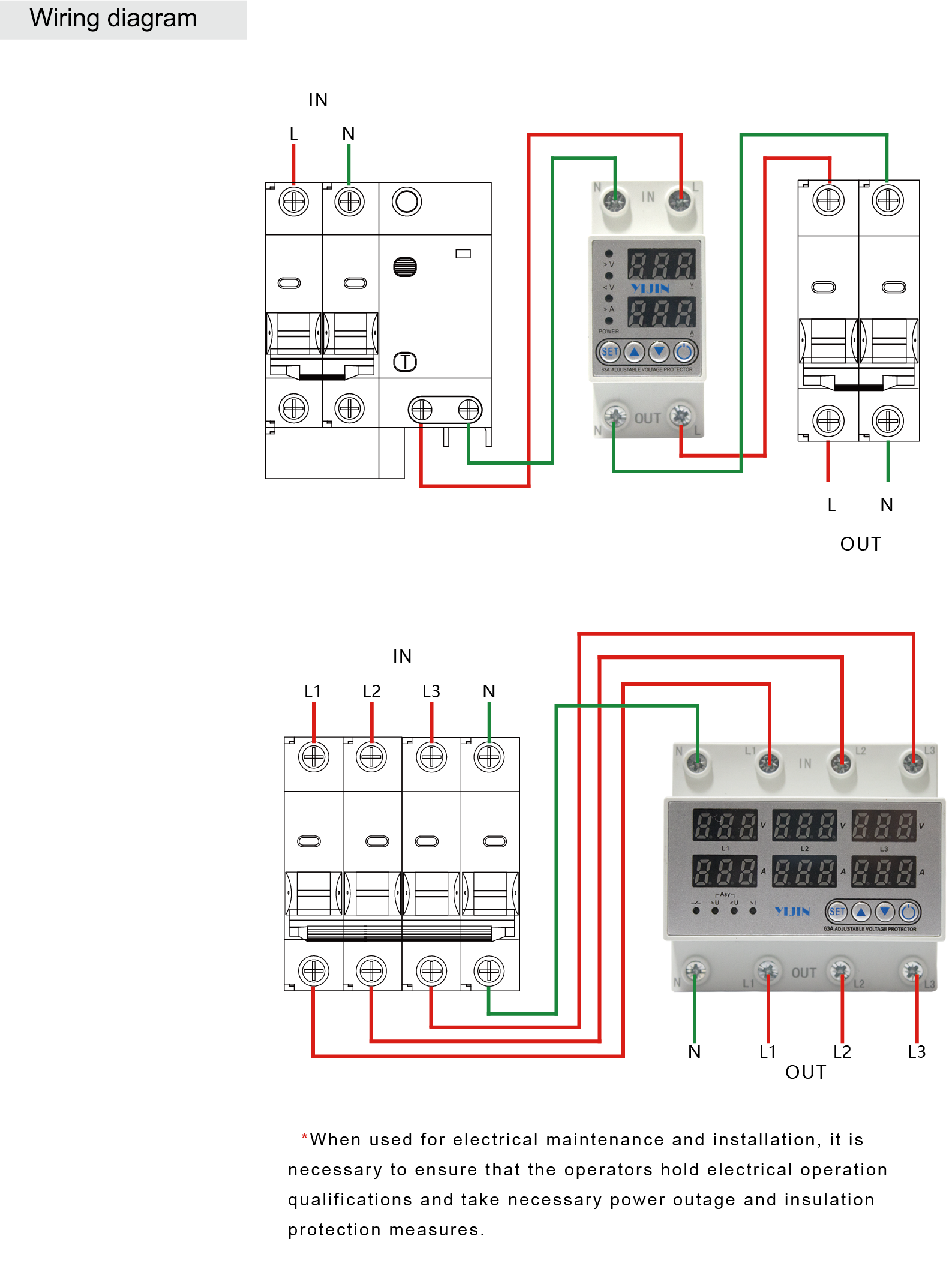
After the installation of the protector is completed, the user can wire it and select a wire cross-section that meets the standard according to the rated current of the protector. Pay attention to the connection of the protector and ensure that the outgoing wires are not connected incorrectly to avoid product damage or inability to power on.
Users should follow relevant regulations and pay attention to the following matters when conducting various operations or experiments to ensure the correct and safe use of the product.
Connect the input and output terminals correctly according to the product identification. (The load current should be less than the protection current value of the product)
The neutral wire N cannot be connected incorrectly and must be reliably wired, otherwise the protector cannot work properly.
Before connecting the power supply, please carefully check whether the wiring is correct, whether the load size matches the product’s current protection value, and whether the wiring screws are tightened, otherwise the product will be damaged.
After the product is powered on, do not touch live parts to avoid electric shock. This product needs to be paired with a micro circuit breaker to provide short-circuit protection function. Otherwise, if there is a short circuit at the input or load end of the product, it will not be able to provide load limiting protection function.
Due to the automatic reset function of the product, after the product is protected and activated, the old load (electrical appliance) should be immediately removed and the circuit should be checked. Otherwise, the product will frequently connect and disconnect the load, and eventually burn out the product or electrical circuit due to long-term frequent overload connection and disconnection.
Products that are not used for a long time should pay attention to moisture and dust prevention. Before use, the product should be debugged according to the above content, and can only be put into operation after it is normal.
This product does not have isolation function. Please disconnect the front circuit breaker switch when repairing the circuit.
The neutral wire (N wire) of this product is a straight through wire without disconnection function!
This product does not have excessive current short-circuit breaking capability. Please install small circuit breakers such as DZ47 and C65 at the front end of the circuit for overcurrent protection.
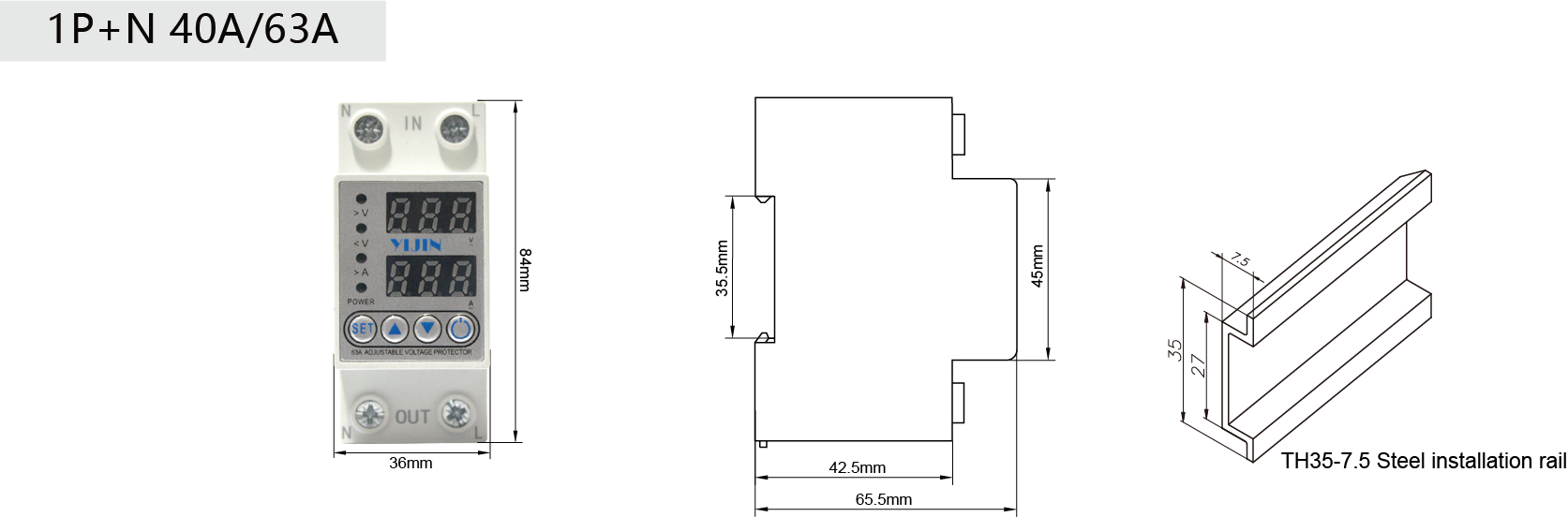
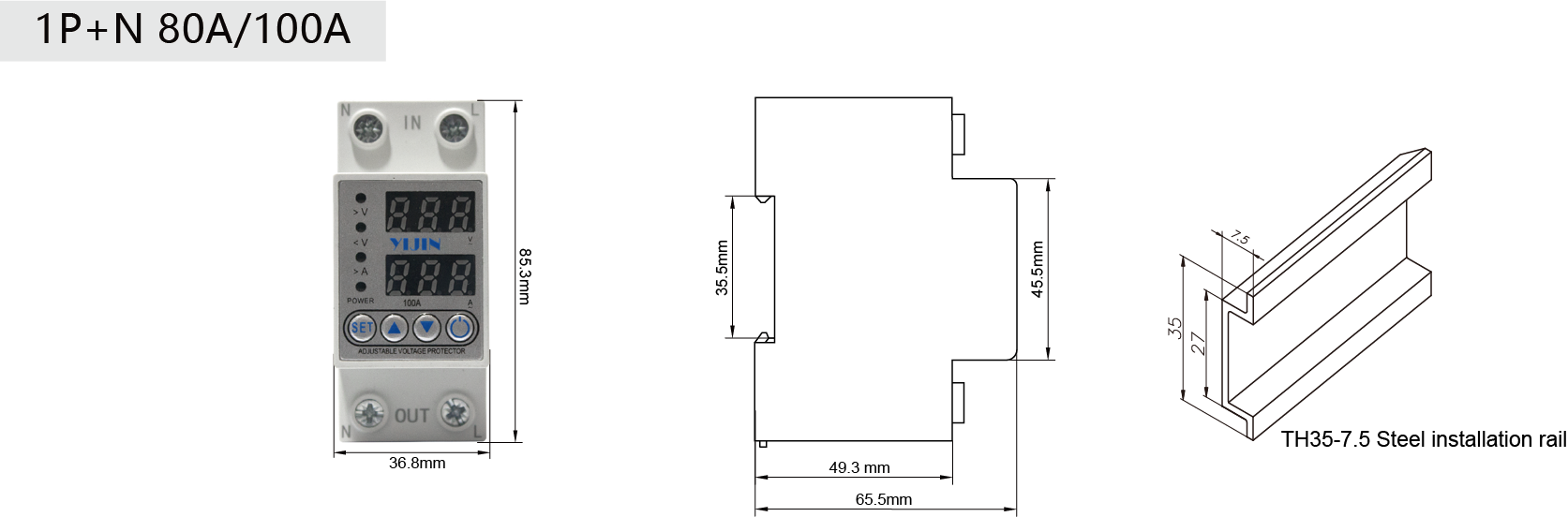
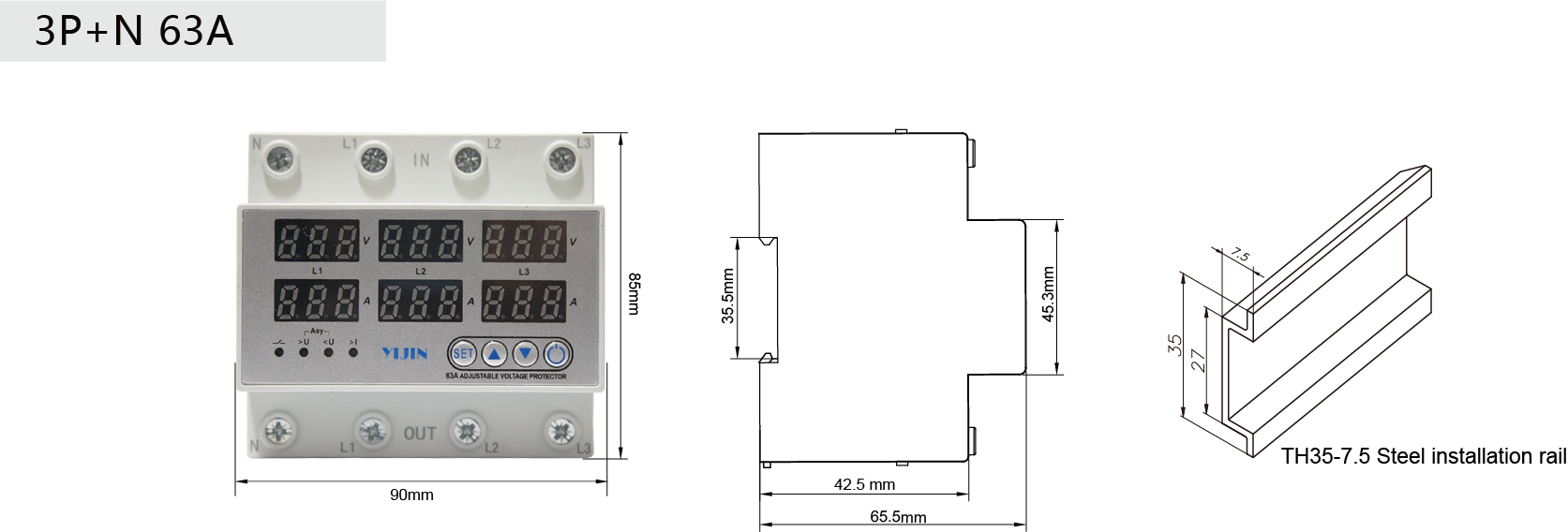
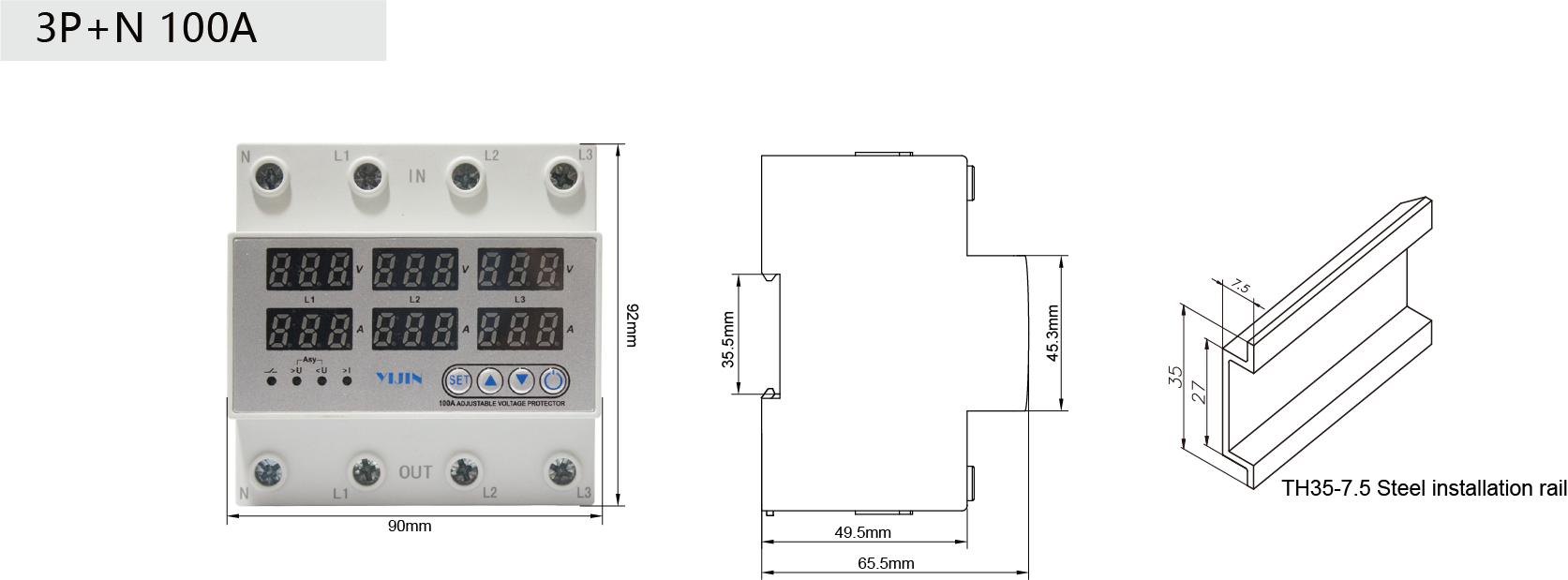
Product size